1. Log in and define the container
Open your Google Tag Manager application and select the account/container (1) you want to use for this purpose.
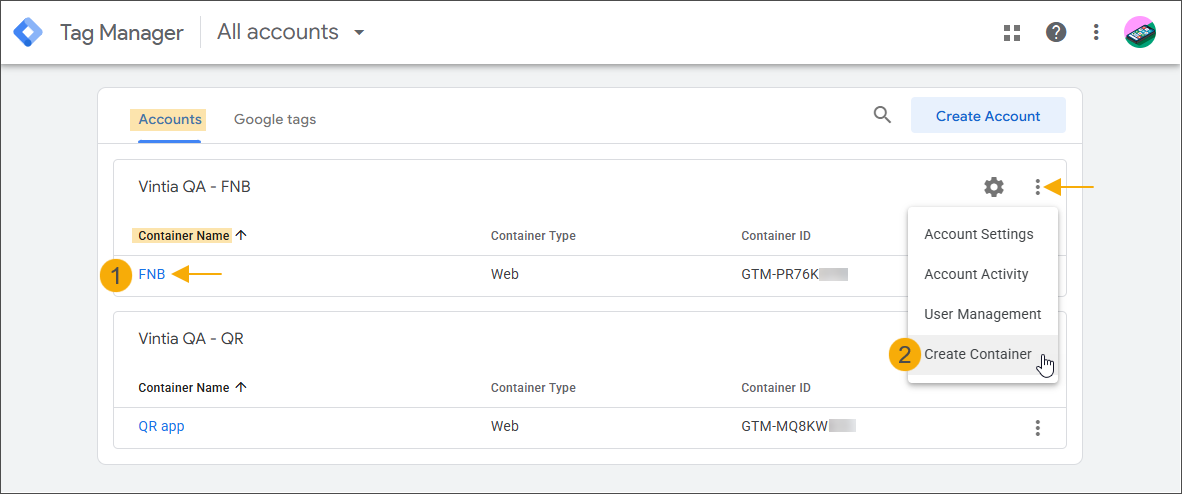
If the container configured during the account creation is not the one you want to use, you can add another container to your account now (2).
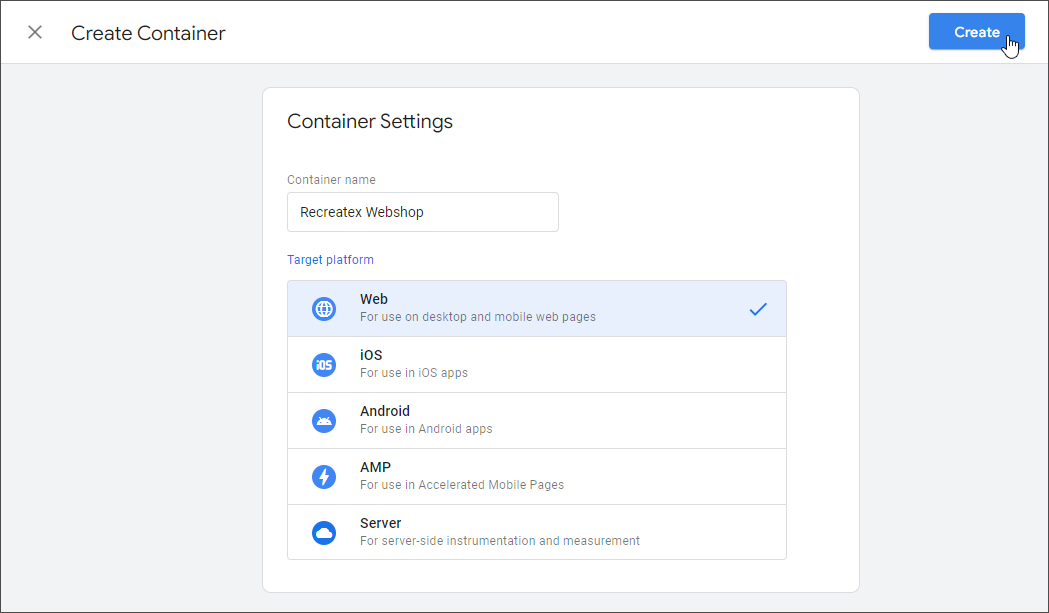
Fill in the container name, select the correct target platform Web, and click Create.
Ignore the Install Google Tag Manager window for now by clicking the OK button.