Technical
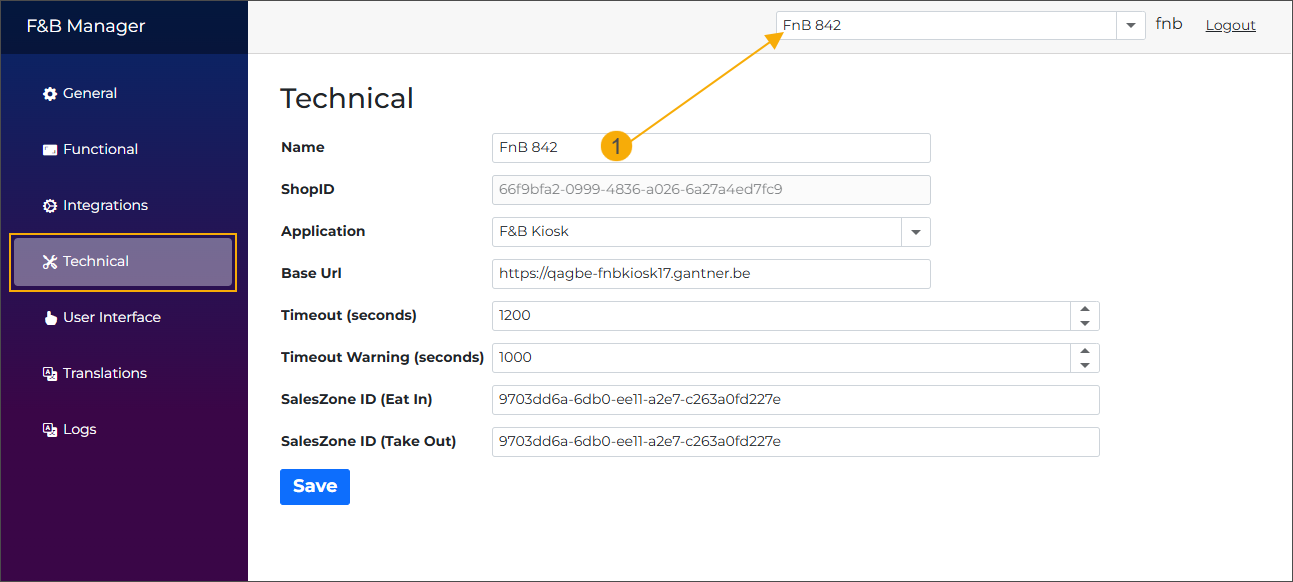
Name
Set a user-friendly name for your Shop ID to be displayed in the header of the F&B Manager screen. If left blank, the drop-down will show the Shop ID of your kiosk or app instead.
ShopID
The Shop ID is displayed here as read-only for reference.
Application
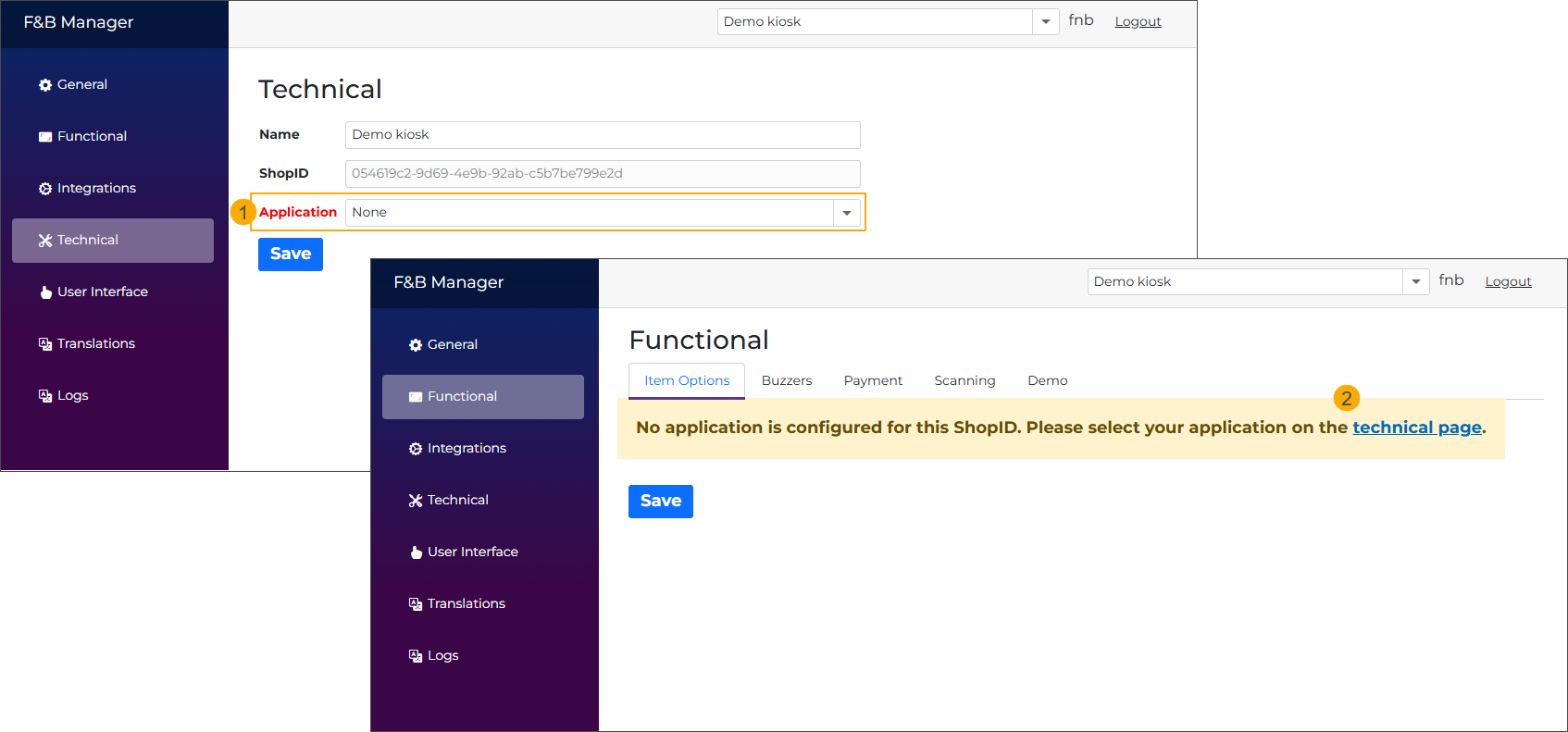
Select the correct application for the current ShopID from the dropdown (Vintia Order Kiosk or Vintia Order Kiosk) to display only the settings relevant to that application.
If no application is selected, the setting is marked in red, and other pages show a warning with a link to the tab Technical, prompting to select an application.
Base URL
Determines which ShopID/configuration is used.
Timeout (seconds)
The total duration of inactivity (in seconds) after which the kiosk automatically returns to the homepage. The countdown starts from the moment the last interaction is registered on the kiosk.
Example: A value of 60 means the kiosk returns to the homepage after 60 seconds of inactivity.
Timeout warning (shown for X seconds)
Determines how long before the session timeout the warning pop-up is shown to the user. Set this value to 0 to disable the warning pop-up.
Example: A value of 40 means the warning pop-up appears 40 seconds before the kiosk returns to the homepage.
If the Timeout (seconds) setting is set to 60 and Timeout warning to 40, the warning pop-up appears after 20 seconds of inactivity and stays visible for 40 seconds. If no interaction is registered, the kiosk returns to the homepage.
Sales zone ID (Eat in)
Enter the sales zone ID for the eat-in type of sale. It will be used to retrieve articles for the specified sales zone.
Sales zone ID (Take out)
Enter the sales zone ID for the take-out type of sale. It will be used to retrieve articles for the specified sales zone.
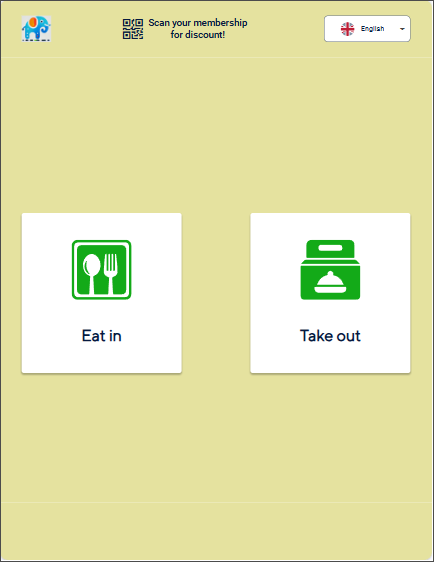
When both sales zone IDs are entered, the Vintia Order Kiosk will add an extra step between the start screen and the articles selection screen, where the customer must choose between Eat-in and Take-out types of sales to continue.
If using 1 sales zone for both types of sales, fill in the same ID in both fields.