Configuration check
The Configuration check page provides a consolidated view of all essential environment settings required for the proper functioning of the kiosk. It includes validation statuses for each setting to support easier remote troubleshooting.
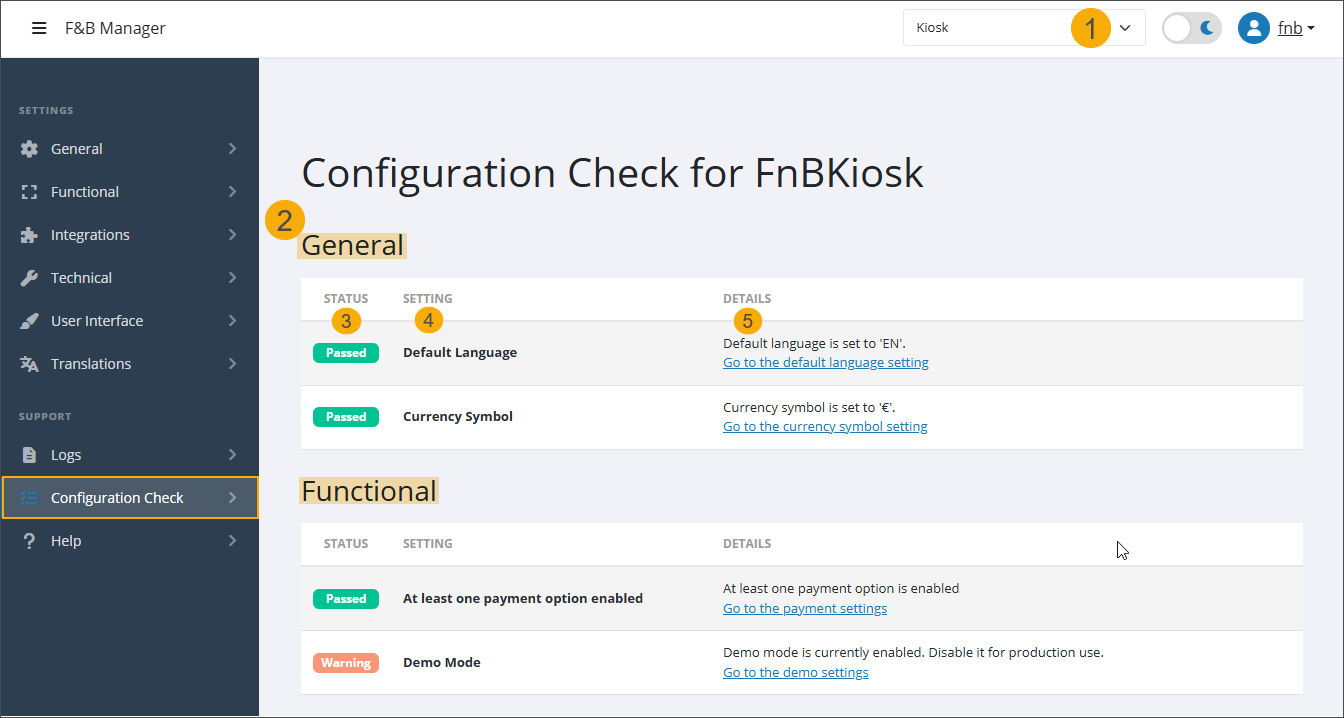
Select the shop ID (in the top-right corner) to perform validation of the selected kiosk device. (1)
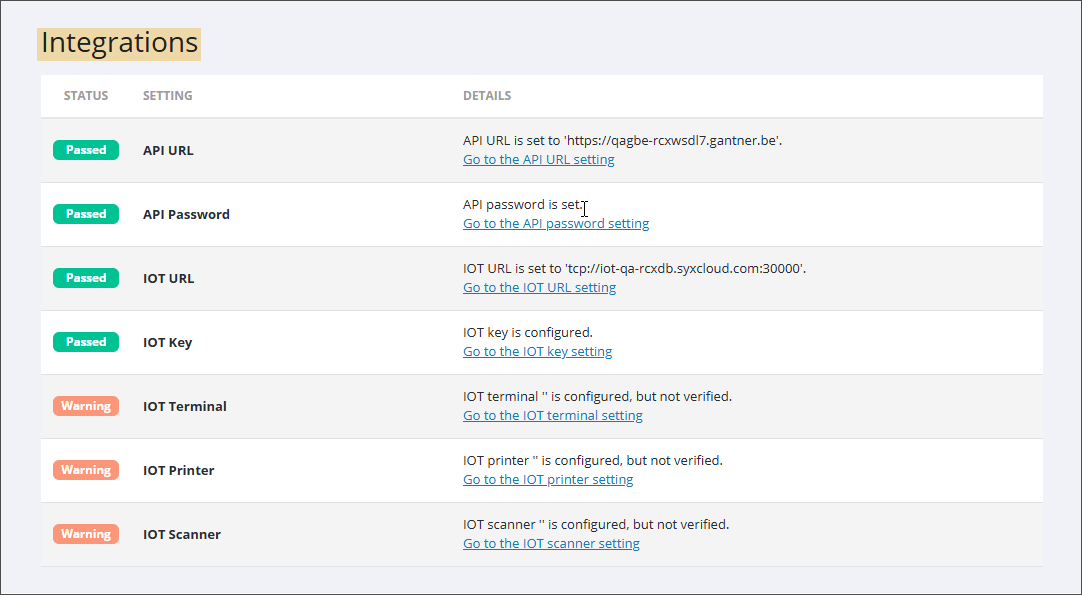
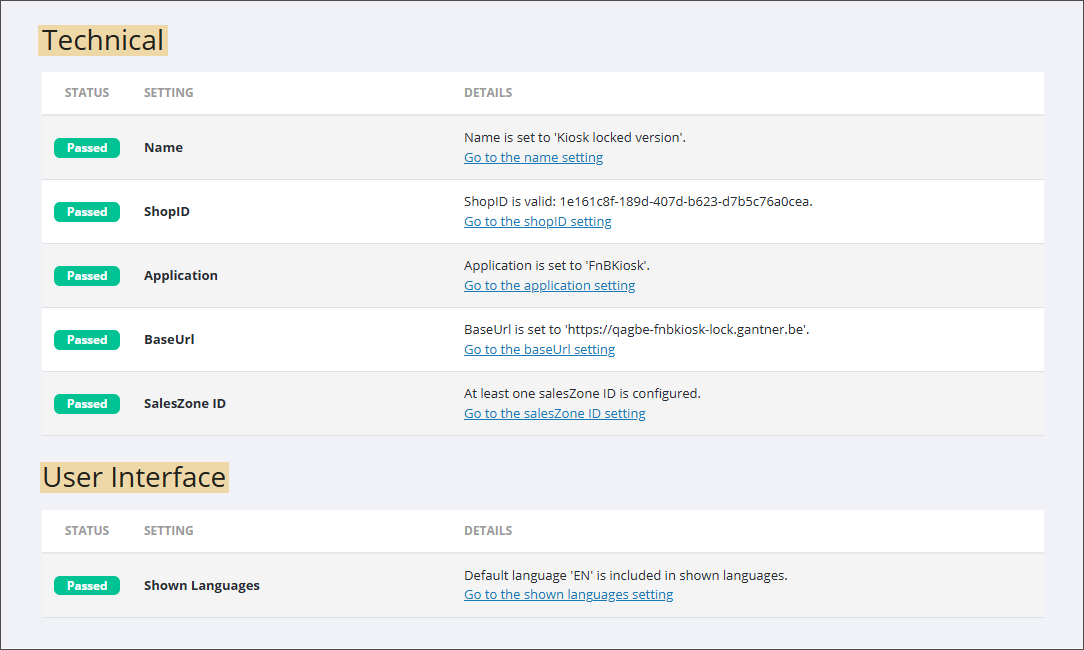
The information is displayed in a table, divided into sections corresponding to the configuration pages of the F&B Manager (2): General, Functional, Integrations, Technical and User interface. Each section includes the following information:
Status (3): Shows one of the 3 possible statuses: Passed (green), Warning (orange), Failed (red)
Setting (4): Displays the setting names
Details (5):
Currently configured value of each setting.
Feedback in case of Warning or Failed status.
Direct link to the Manager page where the setting configuration can be adjusted.