Invoice
In the Invoice tab, configure the invoicing parameters required for the Invoicing module (a license is required).
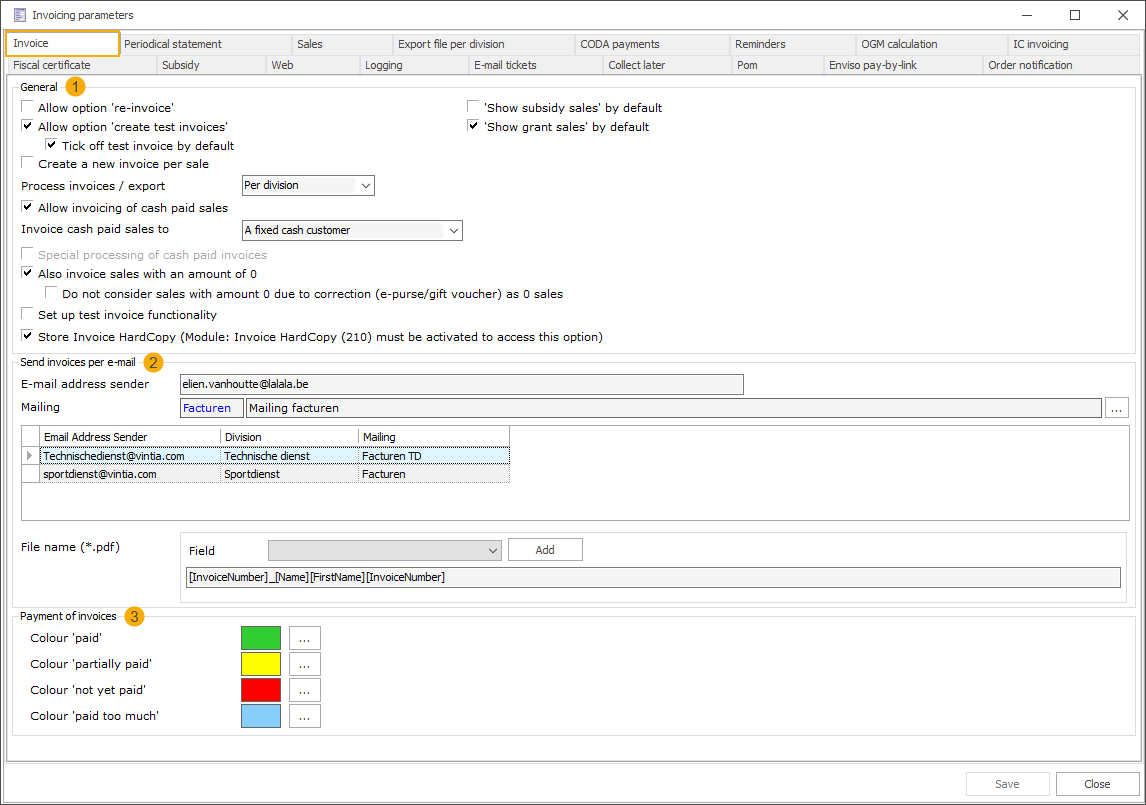
Section General (1)
Process invoices/export
For all divisions
Per division
Section Send invoices per e-mail (2)
Email address sender
This email address is used as the sender when the Process invoices/export option is set to For all divisions.
If the option is set to Per division and no division-specific email is configured, this email is used as a fallback.
Mailing
This mailing is used when the Process invoices/export option is set to For all divisions.
If the option is set to Per division and no division-specific settings are configured, this mailing is used as a fallback.
Division-specific settings (grid)
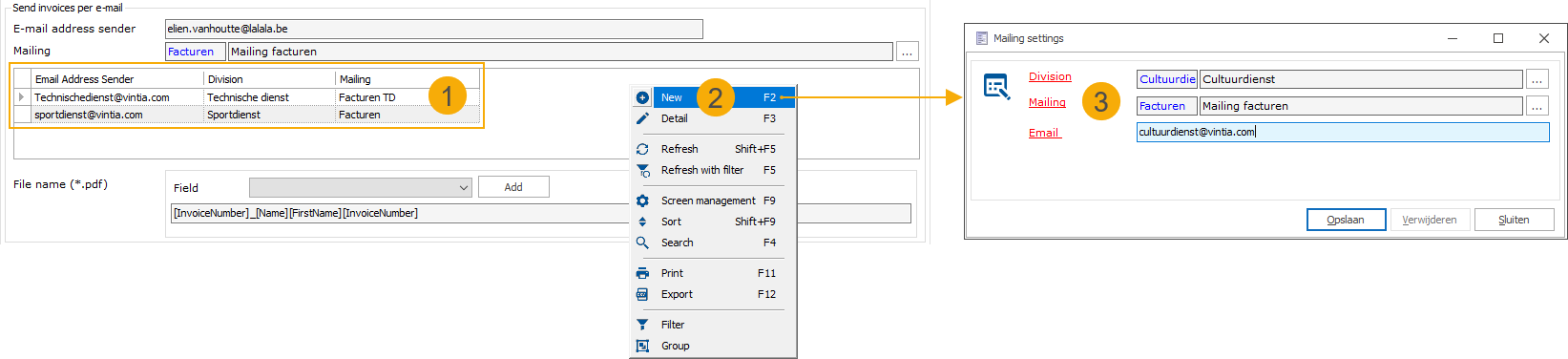
When Process invoices/export is set to Per division, you can configure division-specific email settings in the grid (1), using the Recreatex framework functionality (2).
Anmerkung
If the option is not set to Per division, the grid is disabled.
You can configure (3):
One sender email per division
Attach a different mailing per division if required
When sending invoices while logged in to a specific division, the system uses the sender email configured for that division. If no division-specific settings are configured, the system will use the general Email address sender and Mailing as a fallback.