Sign out and register for catch-up lessons
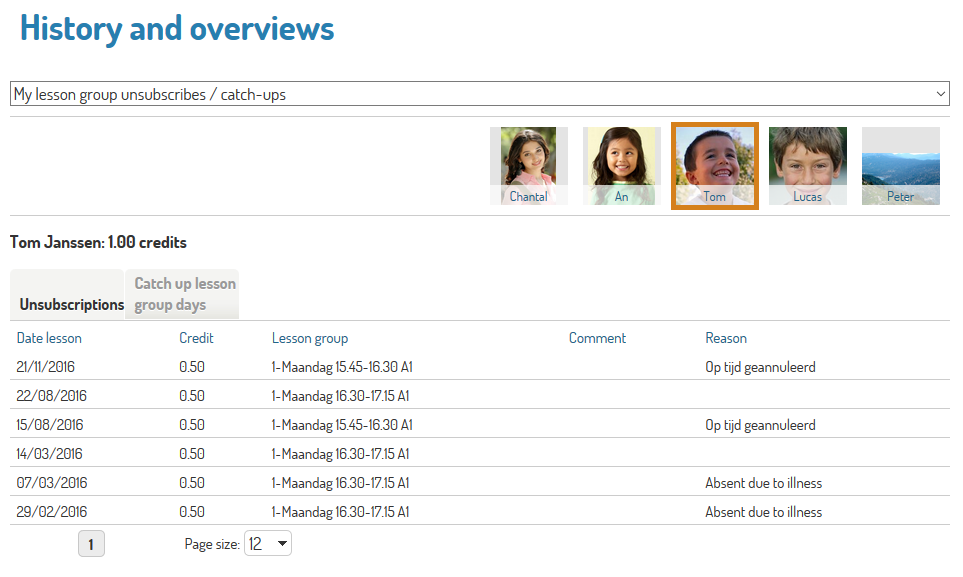
Parents can unsubscribe from a lesson on the webshop.
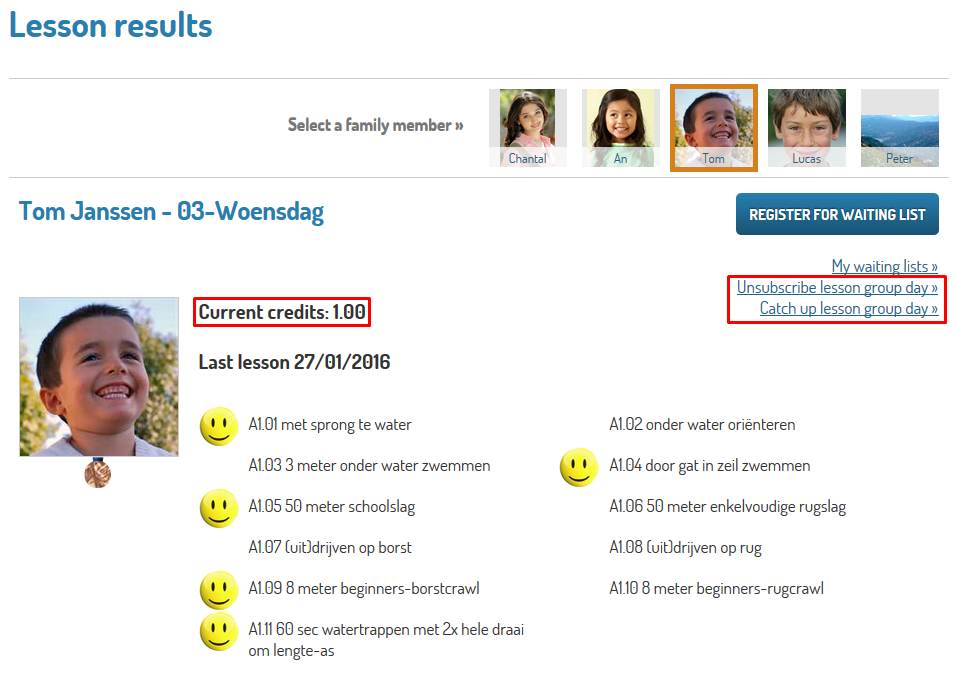
Parents can see their credits on the webshop.
Parents can register for catch-up lessons on the webshop
Configuration
Enable Sign out/catch up functionality
To enable the webshop user to unsubscribe from lesson group days or register for catch-up lessons, go to the Webshop Manager page > Lesson scores > Settings.
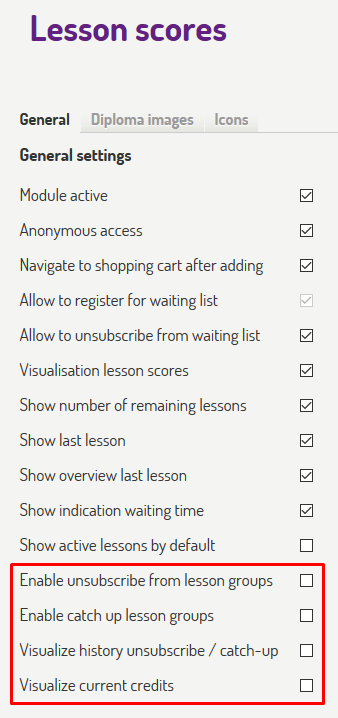 |
Tick the following check boxes to activate the desired options:
Enable unsubscribe from lesson groups
Enable catch up lesson groups
Visualize history unsubscribe / catch-up
Visualize current credits
This will result in the following changes on the web shop:
 |
 |
Anmerkung
The link Catch up lesson group day will only appear if the minimum required amount of credits is reached.
Set up email notifications
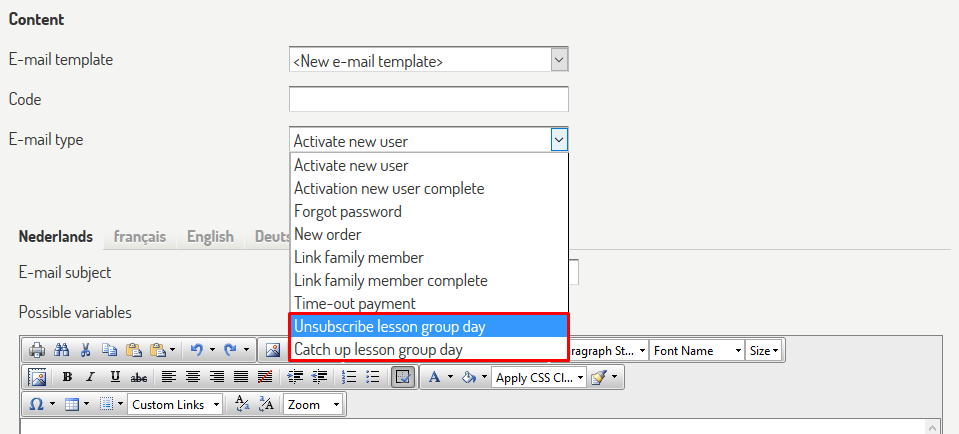
Two new email types are available on the Webshop Manager page > General > E-mail messages.
Unsubscribe lesson group day
Catch up lesson group day
These can be used to make email templates to your specifications.
 |
These email templates can be used on the Web shop manager page > Lesson scores > Settings.
Tick the desired check boxes
Enter the email address
Select the desired template
 |
Unsubscribe from a lesson group
If enabled in the Webshop manager settings, you will also be able to unsubscribe from a lesson group day.
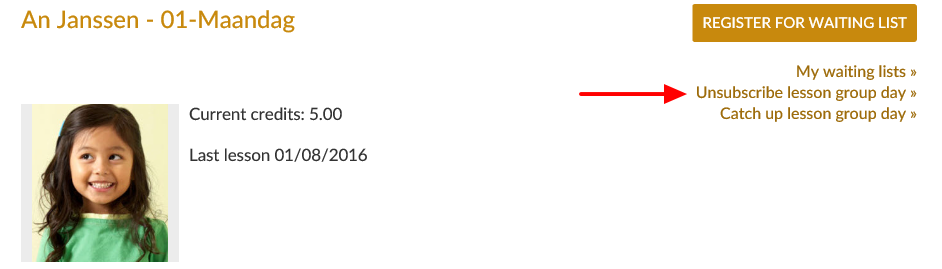 |
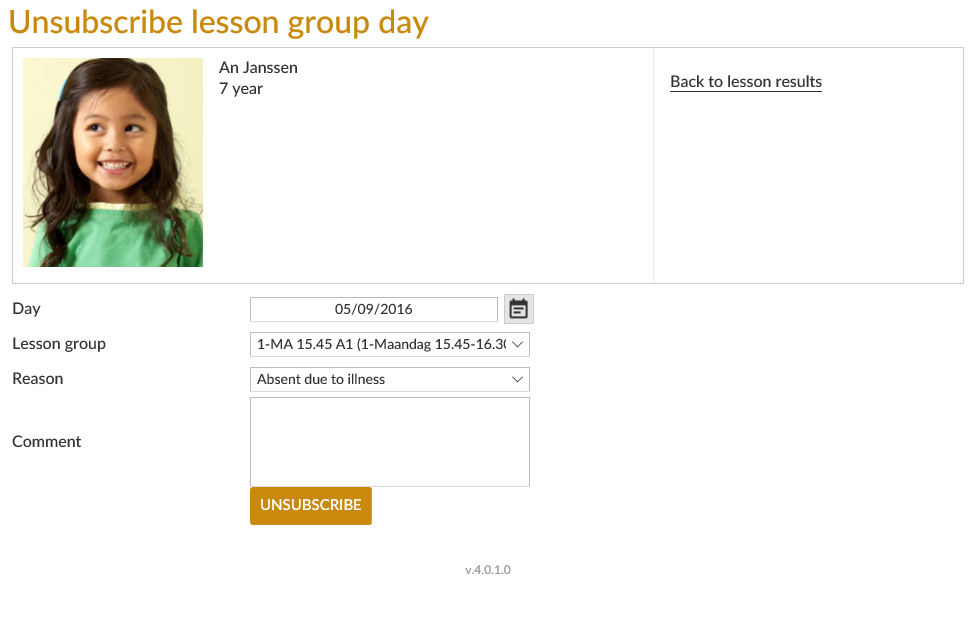
In the following window you can select the day and lesson group from which you want to unsubscribe, specify a reason and if required add a comment. By unsubscribing from a lesson group the student earns credits that can then be used to register for a catch-up lesson group day.
 |
Register for a catch-up lesson
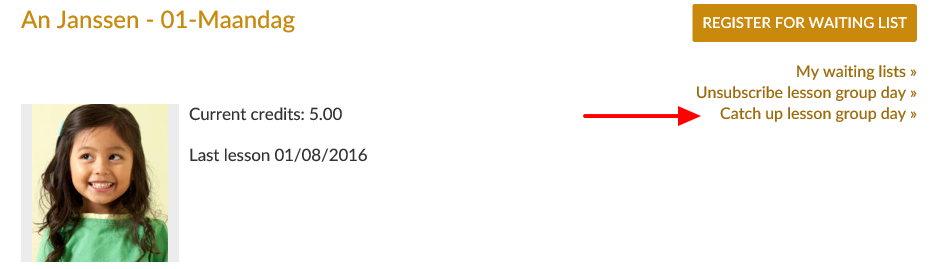
If it has been enabled in the Webshop manager settings and if the student has enough credits (earned by unsubscribing from lesson groups), you will also be able to register for a catch-up lesson group day.
 |
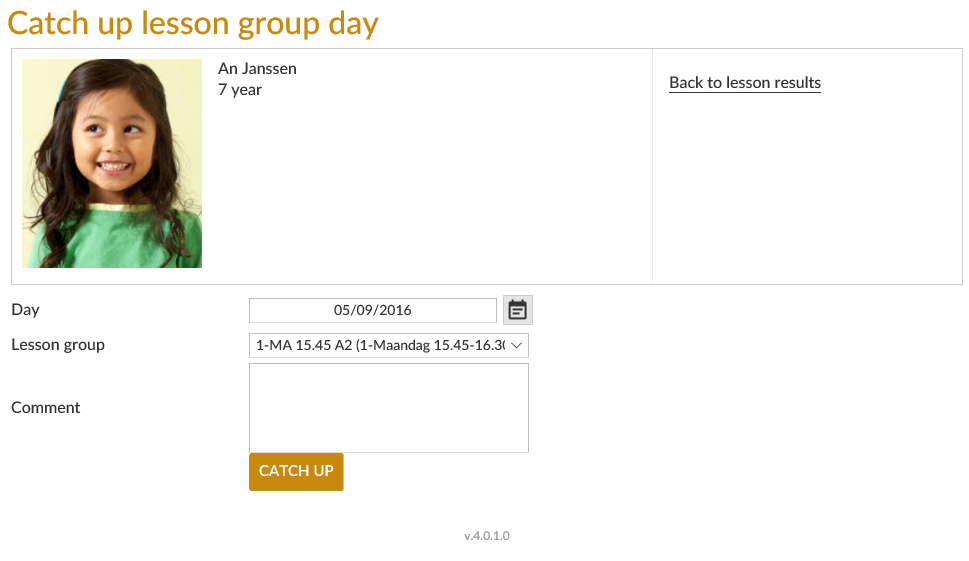
In the following window, you can select the day and lesson group for which you want to register and add a comment.
 |