General
Settings
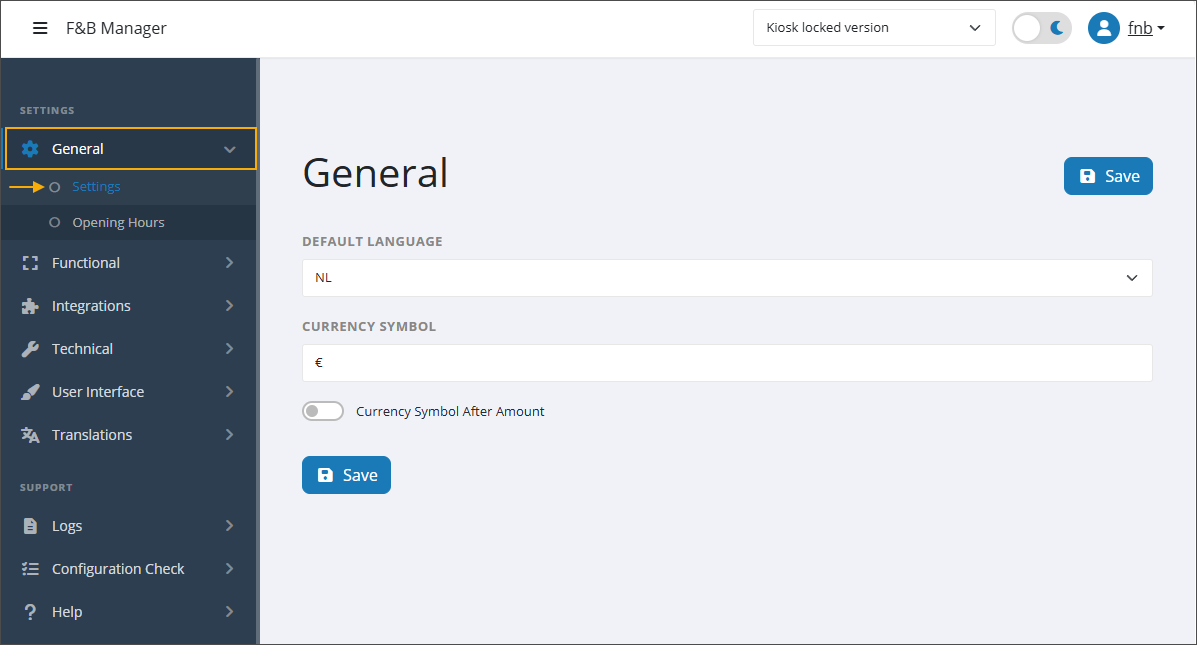
Default language
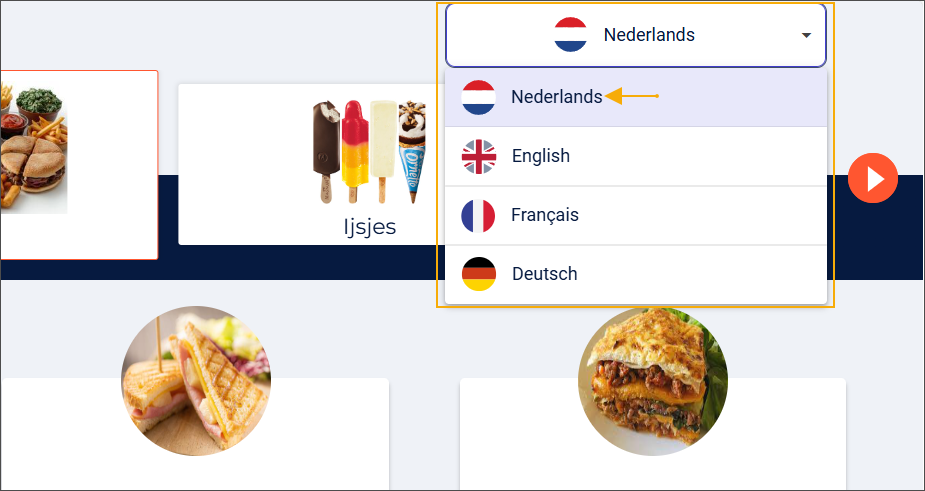
This is the default language shown when a user begins interacting with the kiosk (1). Users can switch to another language at any time using the language drop-down menu (2).
Anmerkung
The default language can only be selected from the languages configured as Shown languages in the tab User Interface > Functional.
Currency symbol
The configured currency symbol will be displayed wherever prices appear on kiosk screens, including product tiles, the basket (both summary and detail), and the payment screen.
Currency symbol after amount
Displays the currency symbol after the amount, a formatting used in some languages, e.g., Polish 10 zł.
Opening hours
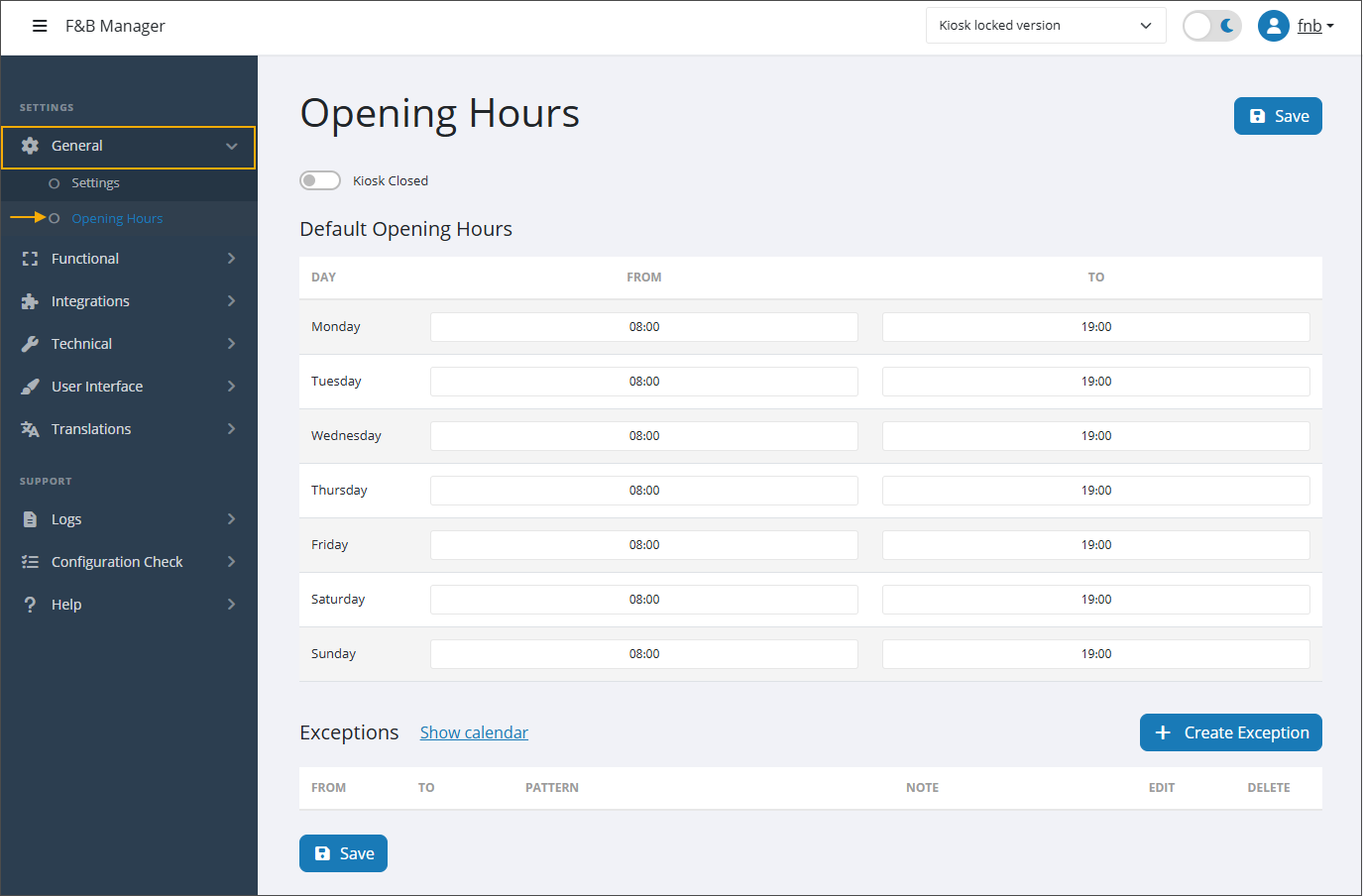
Kiosk closed
When enabled, the kiosk is forced into closed mode, overriding its defined opening hours.
See also how you can upload an image to be displayed when the kiosk is closed.
Default opening hours
The kiosk will enter closed mode when the current day and time fall outside the defined opening hours.
See also how you can upload an image to be displayed when the kiosk is closed.
Exceptions
In addition to your regular opening hours, you can configure exceptions for specific days or periods to predefine irregular closing times outside your normal schedule.
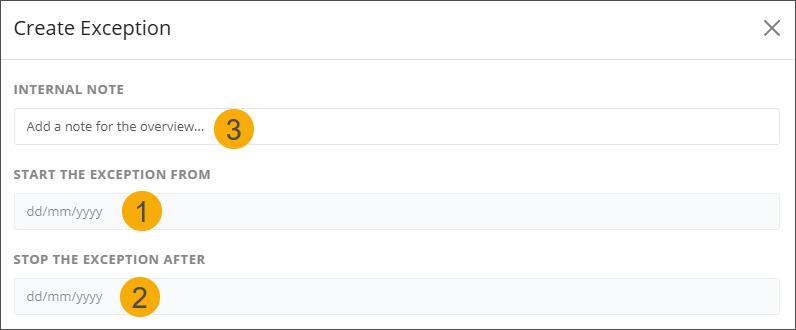
For each exception, select the start (1) and stop dates (2) (day/month/year) and add an optional internal note (3) for reference.
Frequency: Choose how the exception should repeat. Once you select a frequency, the screen will display additional fields to complete the pattern.
Daily
Repeat every x day(s): Define how often the daily pattern should repeat. The default value is 1 (= every day).
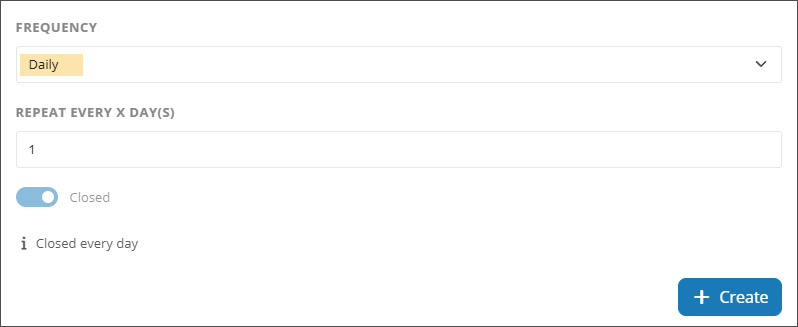
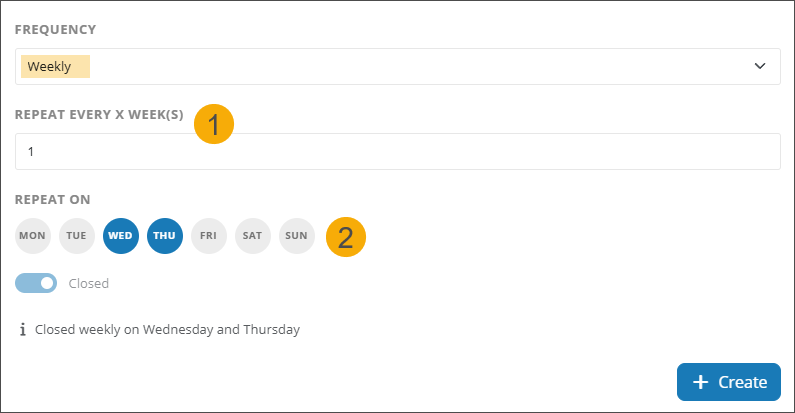
Weekly
Repeat every x week(s) (1): Define how often the weekly pattern should repeat. The default value is 1 (= every week).
Repeat on (2): Select one or more closing days (Monday to Sunday).
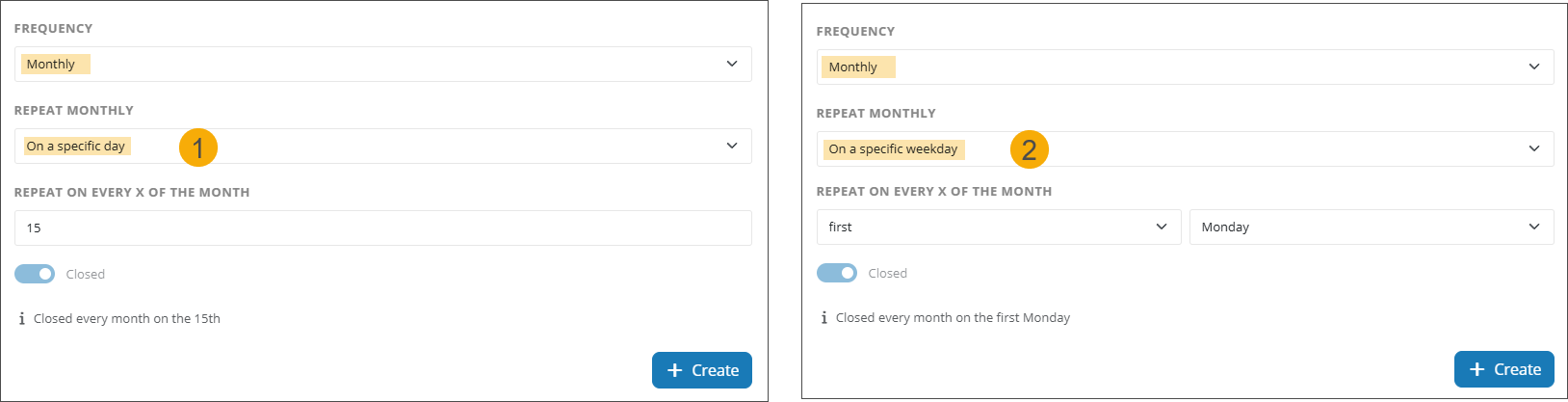
Monthly: Choose between two Repeat monthly patterns.
On a specific day: Repeat on every x of the month, where x is a calendar day (1 to 31).
(e.g. every 15th of the month)
On a specific weekday: Repeat on every x of the month, where x is 1st, 2nd, 3rd, 4th, or last combined with a weekday (Monday to Sunday).
(e.g. every 3rd Monday)
On-screen guidance while creating a pattern (3)
The read‑only Closed status indicates that you are creating a closing exception.
The dynamic pattern preview shows the pattern you configure in plain language.
Click Create (4) to generate the exception pattern.
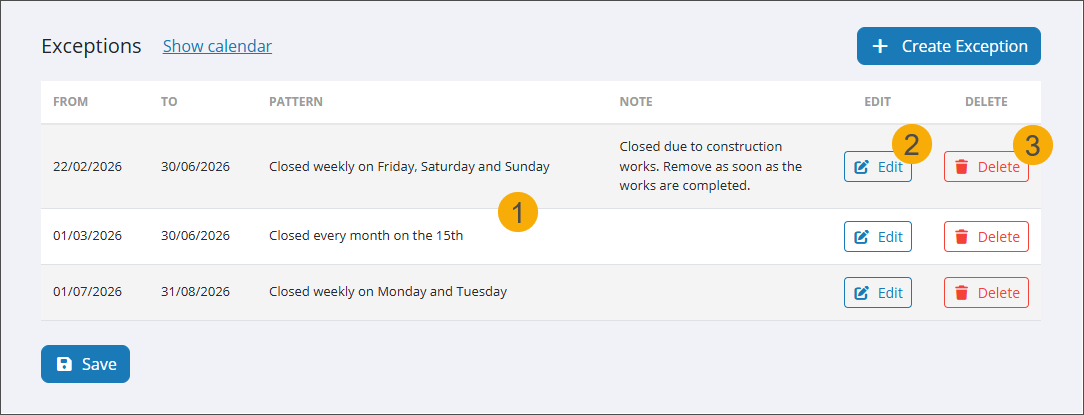
All exceptions appear in the table overview (1), sorted by the start date and then by the end date. You can edit (2) or delete (3) the exceptions at any time.
Toggle the calendar view (1) to display all closing days in a year (2) or month layout (3), with the year layout as the default selection. If multiple exceptions overlap on the same day, the calendar will mark the date only once.
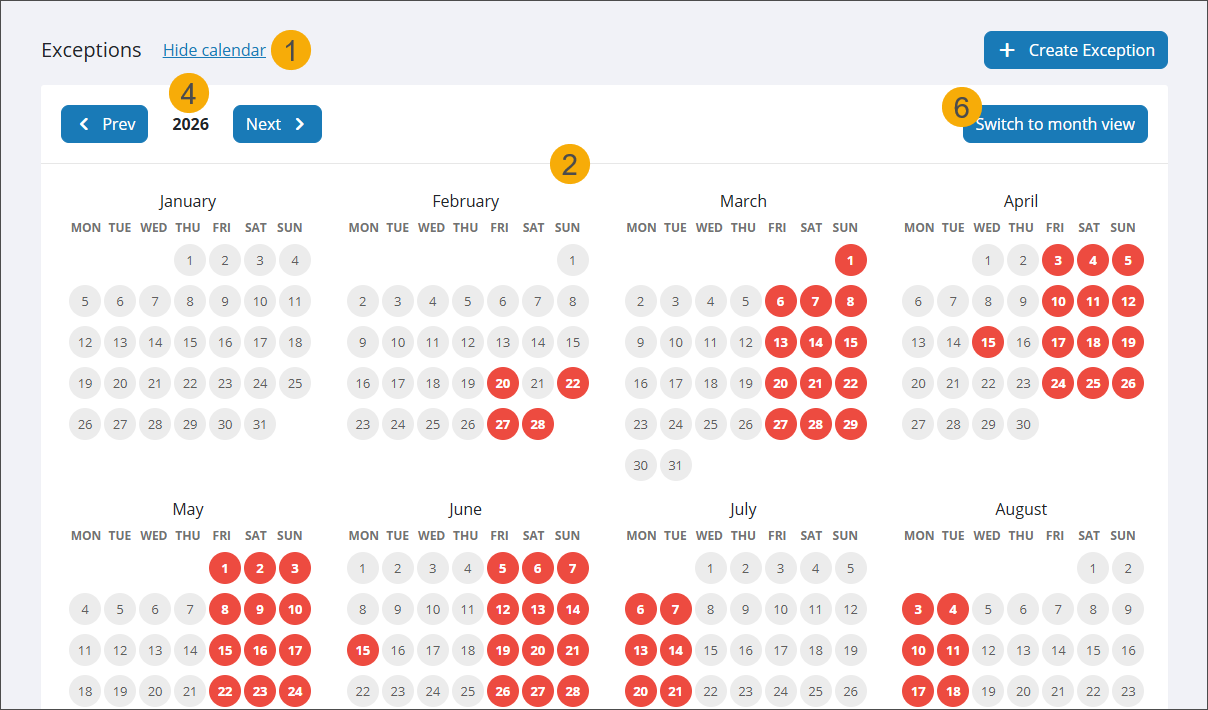
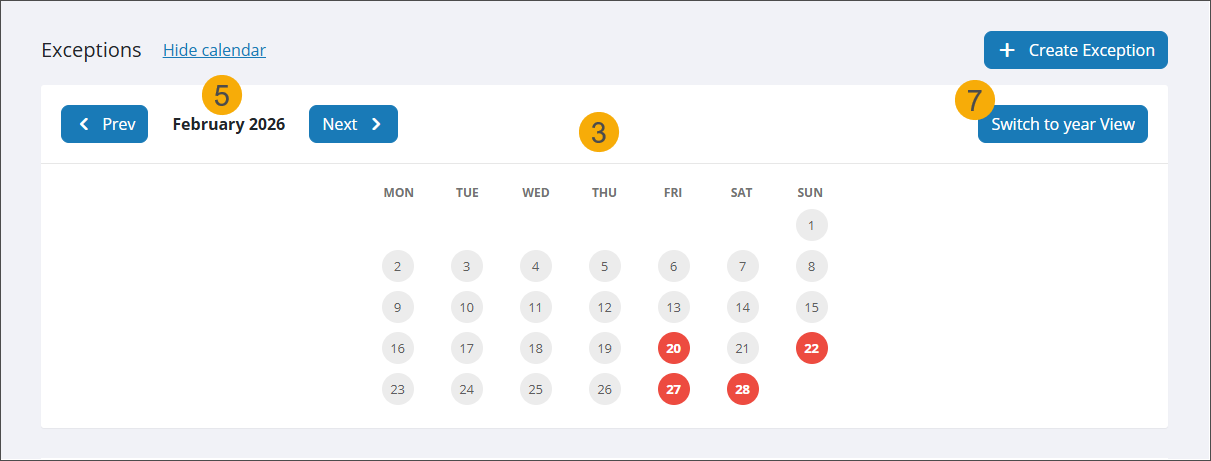
Use the Prev and Next buttons to navigate through years (4) or months (5).
Use Switch to month view (6) and Switch to year view (7) to switch between the calendar layouts.