Exporting cash register data
To export cash register data, open the Various module in Recreatex, then navigate to SAF-T > Export data. Under the Cash register tab (1), you can access the SAF-T export functionality.
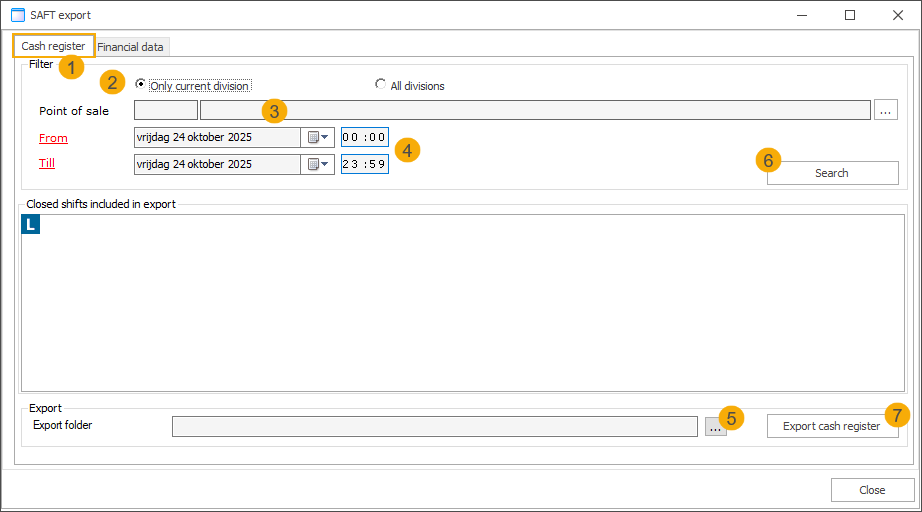
Specify whether to export data for the current division only or for all divisions. (2)
Narrow down the selection to a specific point of sale. (3)
Select the financial terms (from/till) you want to export. (4)
Choose the export folder where the generated XML files should be stored. (5)
Click Search to load the selection. (6)
Click Export cash register to generate the files. (7)