Cross-sell rules
Note
The feature to use the cross-sell rules is available only to specific venues. You can request Vintia support to enable this feature for your venue.
The Cross-sell rules page allows you to view and manage rules for displaying complementary offers to visitors during the checkout process. You can configure ticket offers and voucher offers to display for cross-selling.
 |
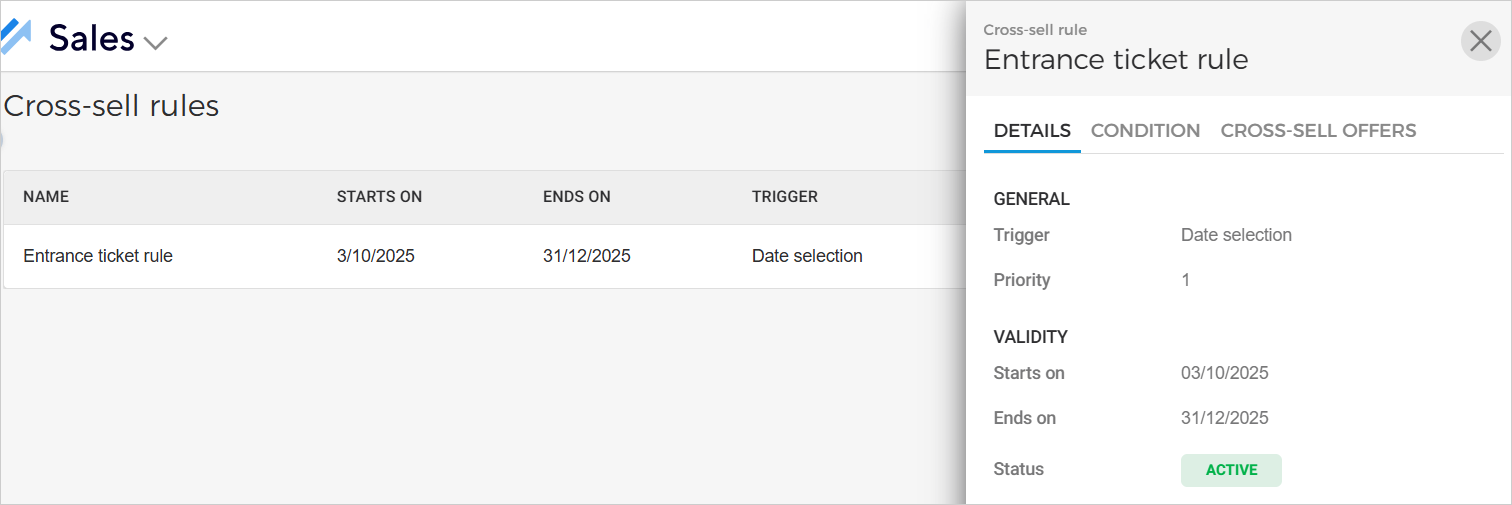
On the Cross-sell rules page, click on a cross-sell rule to consult its details.
 |
Note
To show the configured cross-sell offers on the Ticketing widget, the setting Activate cross-selling must be enabled from the Widget settings in Enviso Admin.
Important to know:
A maximum of 20 cross-sell offers can be created (irrespective of their status). If you wish to create more cross-sell rules, you will have to delete the previously created rules.
A maximum of 10 cross-sell offers can be displayed on the Ticketing widget at a time.
When a cross-sell offer is added through the basket, it will no longer appear in the list of cross-sell items within the basket.
If a cross-sell offer is added via a URL and the same offer is also triggered by a cross-sell rule, it will not be displayed again as part of the cross-sell rule results.
Required cross-sell offers
It is now possible to mark a cross-sell offer as required, making it mandatory to purchase alongside the main offer. The required status is visible in both the cross-sell rules overview and the individual rule details panel.