VAT rates
On the page VAT rates (under Products), you can manage VATs per product type for products created in the Sales app and from the Integration API. These VAT rates can then be used to link with the products.
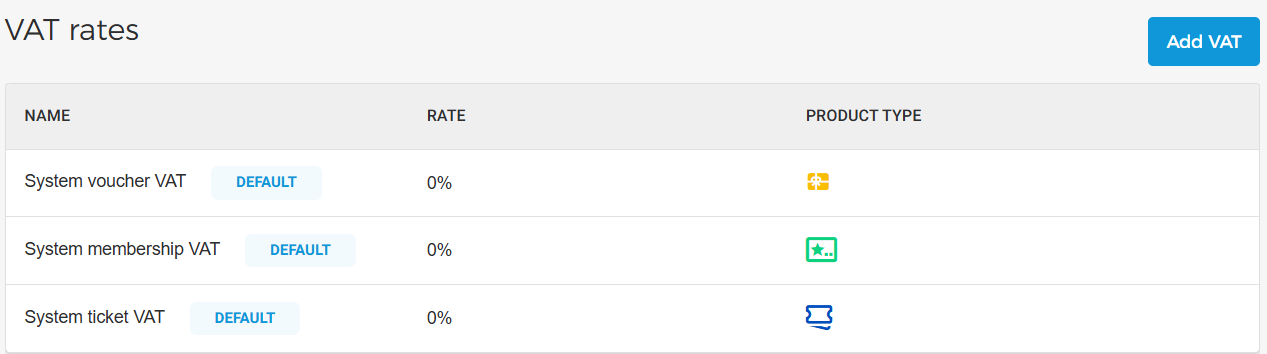 |
All products are automatically linked to the system VAT (default) with a 0% rate, based on their respective product type. You can edit the VAT or add new VAT rates as needed. When the ‘Membership Offer’ feature is enabled for a venue by Vintia Support, the system VAT rate for memberships will appear on the Product VAT page.
Add VAT
On the VAT rates page, click Add VAT in the top-right corner.
 |
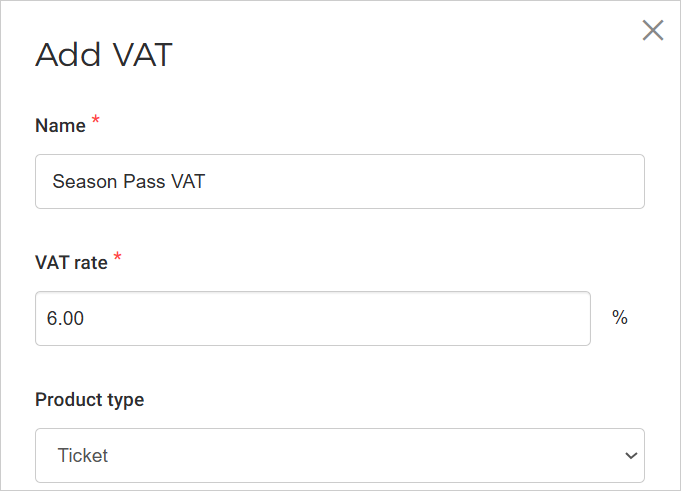
In the resulting pop-up, enter the details and click Save. Please note that the product type cannot be changed once a VAT rate is created. Moreover, it is possible to create multiple VAT rates for each product type.
 |
Default VAT rate
The default VAT is used when no VAT is assigned while creating a product, and will be applied based on the product type.
The system automatically creates default VAT rates for each product type for a newly registered or existing venue. The default VAT rate is 0%.
|
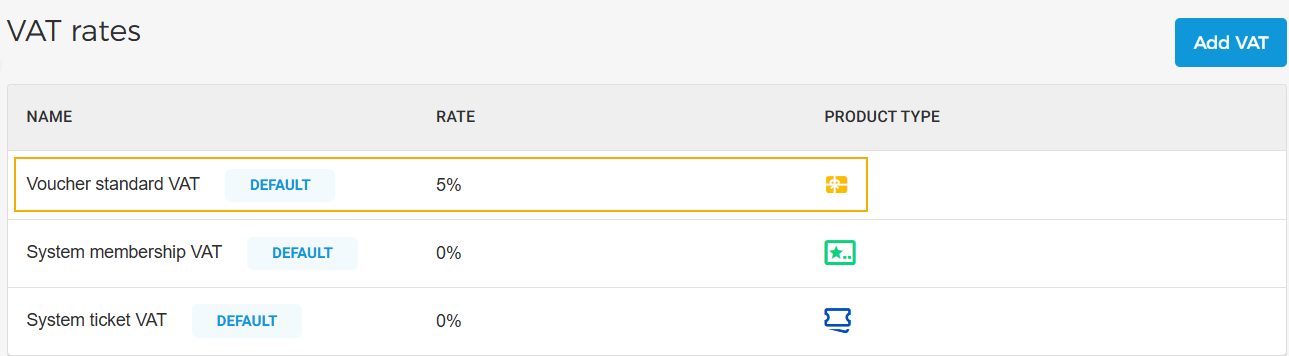
Moreover, for an existing venue, if VAT has already been created for a product, a default VAT rate will be created for a product for which VAT rate has not been created.
In the example below, for an existing venue, VAT rate for vouchers has been created. The system marked the VAT rate as default and created default VAT rates for membership and ticket.
 |
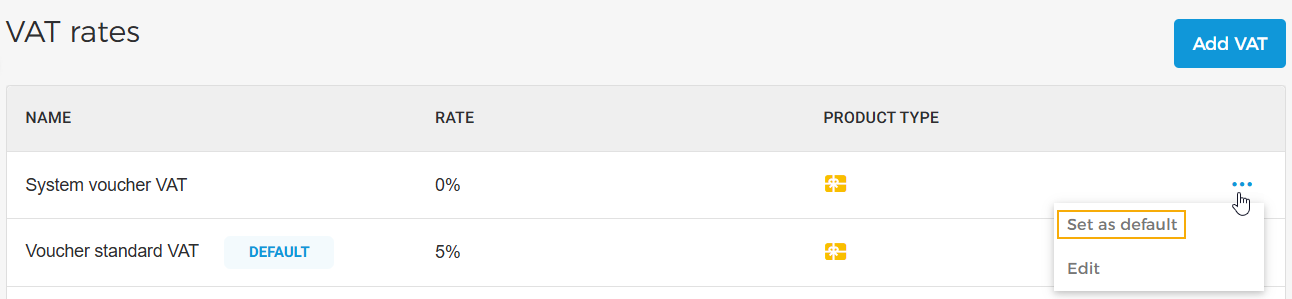
In case there are multiple VATs for a particular product type, you can define any one of them as the default VAT for that product type.
To set a VAT as the default VAT for a particular product type, click the more options button and select Set as default.
 |
Edit VAT
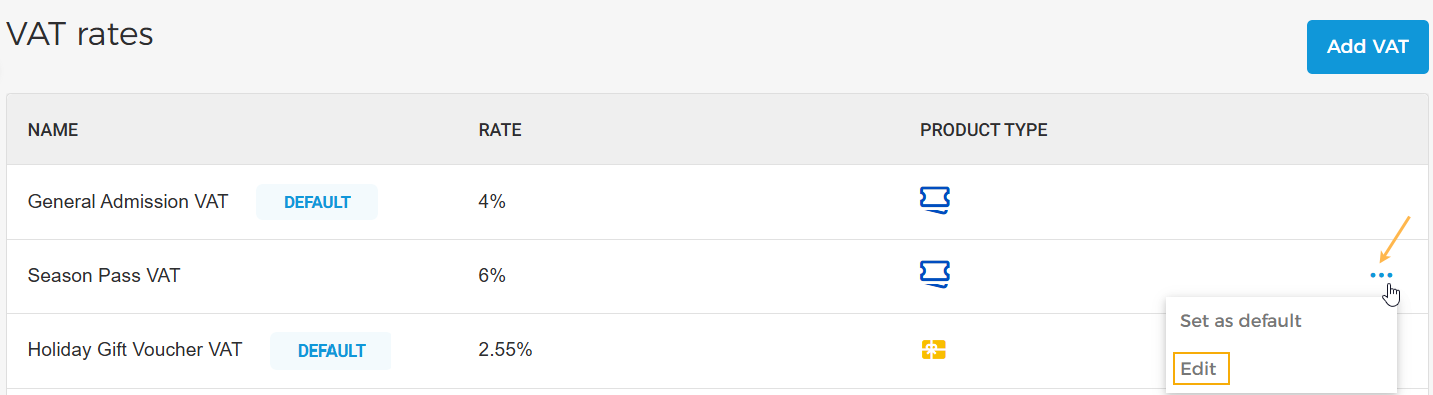
It is possible to edit the VAT name or rate. On the VAT rates page, click the more options button corresponding to the VAT you wish to edit. Next, select Edit.
 |
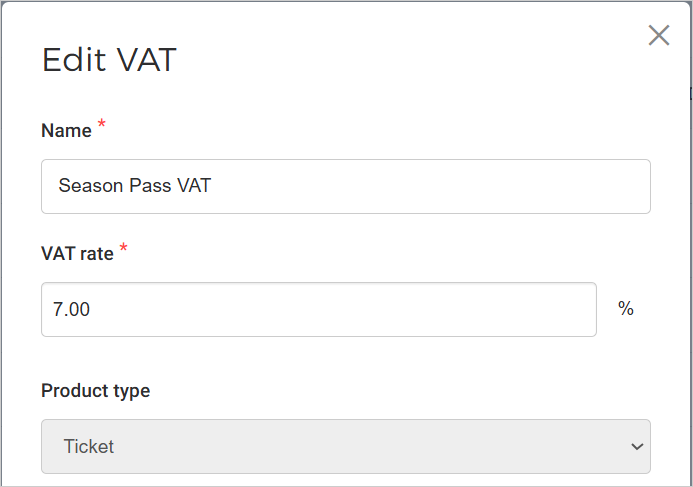
In the resulting pop-up, you can edit the VAT name and rate. However, once VAT is created, the product type cannot be changed.
 |