Price rules
Price rules allow you to create variable pricing for offer products based on various factors.

Important to know:
The price rule will overwrite the configured product price and create variable pricing for a defined validity configuration.
Price rules can be applied only to Per-day offers and Time slot offers for sales on all the direct channel sales points.
Price rules cannot be configured for Total offers, that is, offers offering visits without a date or time slot selection (eg: Day pass). Moreover, price rules cannot be configured for Membership offers and Voucher offers.
Priority rules are applied based on the set priority value, where 1 is the highest and 99 is the lowest. If two rules have the same priority, the most recently created rule will apply.
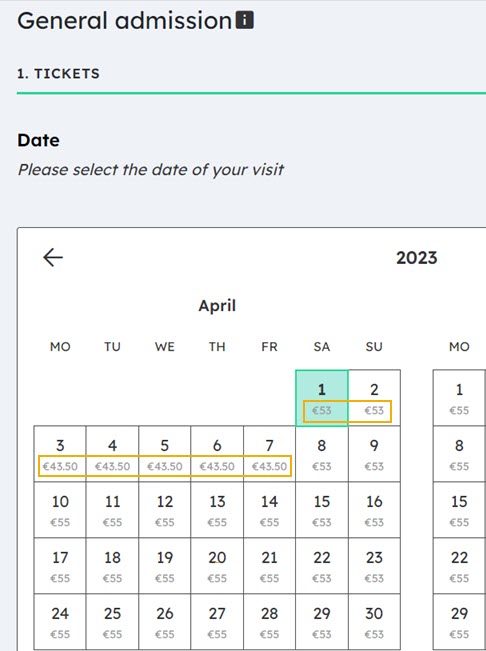
When pricing rules are set, the variable price will show in the calendar when selecting the date and time via the Ticketing widget.