Create ticket
The option to create a ticket is available only if tickets from Recreatex have not been synced.
To create a ticket, click Create in the top-right corner of the Tickets page.
In the resulting pop-up, enter the details and click Create.
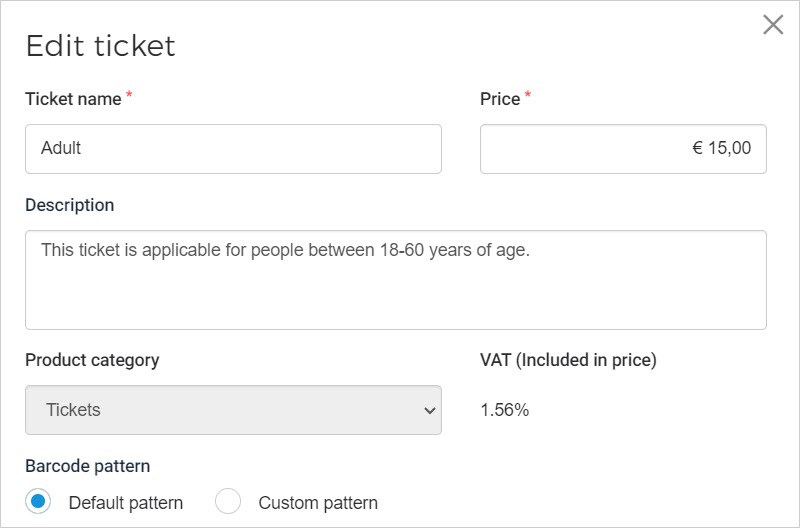
Description
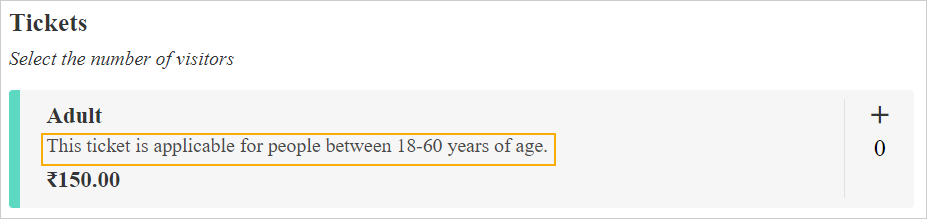
Description can be added for both, tickets synced from Recreatex as well as those created in Enviso.
The ticket description is shown on the Ticketing widget.
The product description and its translation can be fetched from the Direct selling API.
You can add translations for the ticket description from the Tickets and Capacity section while creating/editing an offer.
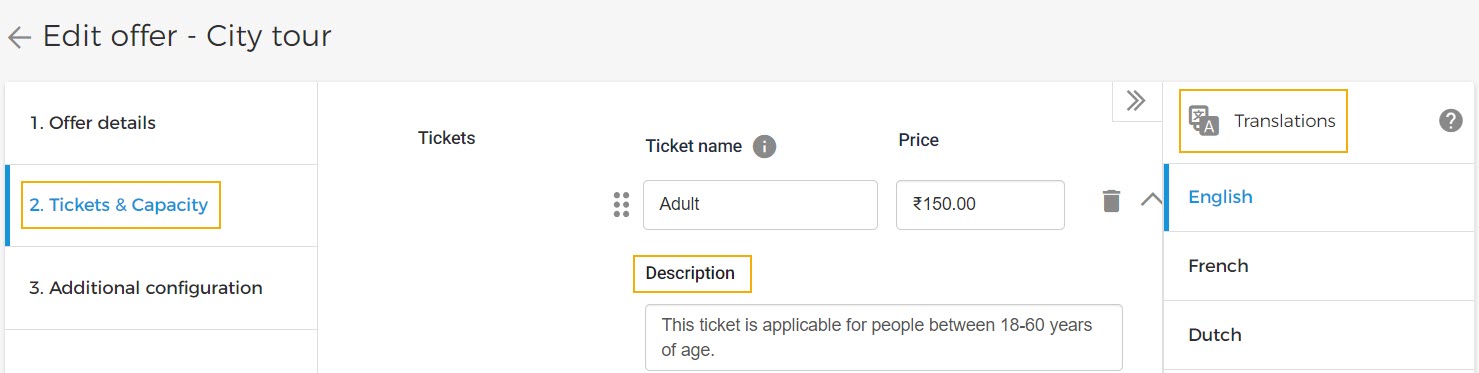
Also, the product description and its translation can be fetched from the Direct selling API.
Barcode pattern
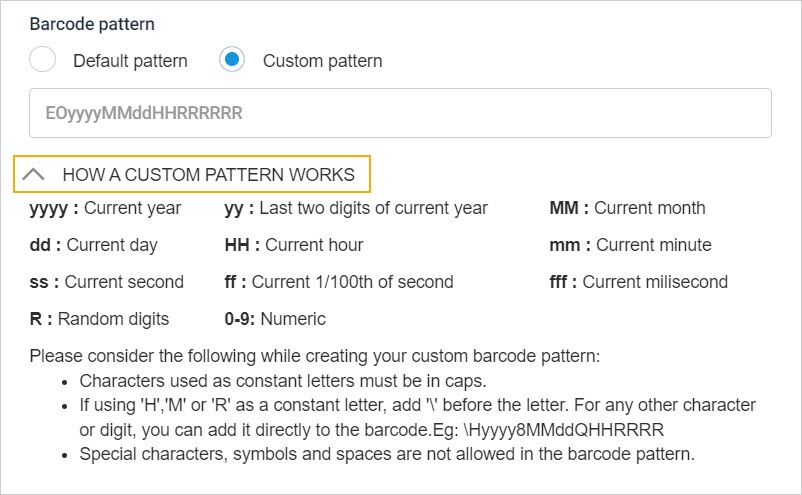
For the parameter Barcode pattern, if Default pattern is used, tickets will be generated in the default barcode pattern of Enviso.
However, if you wish to have a custom barcode pattern to suit your requirements, it is possible to do so using the option Custom pattern. When creating a custom pattern, please refer to the section How a custom pattern works.
Once a ticket is created, it will show as Active on the Tickets page.
It is possible to edit as well as archive an active ticket.
Important to know:
The tickets created in Enviso do not sync back to Recreatex.
The tickets created in Enviso can be used for sales on direct and indirect channels.
If VAT rate has been added for your locale by Vintia then the VAT rate and the product category will show at the time of creating a ticket. It is possible to consult the applied VAT rate from the exported order file.