Configure Windows service
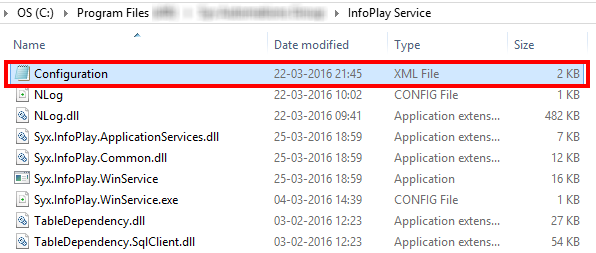
Go to the installation location of the Windows service.
Open the Configuration.xml file.
Configure TCP connection settings.

Warning
The port number must be greater than 0 and less than 65536. However, the number 80 or 443 must be avoided for being used as a port number.
The ports 80 and 443 listens to HTTP and HTTPS communication respectively, and using either of these could result in an error message or incorrect functioning of the Infoplay app.
Warning
The server and port on which Infoplay Server service is running must be reachable at all times by the Infoplay clients. Taking into account that the clients and server are likely on different physical machines, it might be necessary to configure certain firewall settings (inbound and outbound rules) in order to establish the required connection.
Server IP address
Code: <IPAddress>....</IPAddress>
The <IPAddress> tag specifies the server IP address.
Port number
Code: <Port>....</Port>
The<Port> tag specifies the port number.
Configure database connection details.
Database connection details are required to connect with the Recreatex database in order to get the visitor's information, whenever his/her membership card is scanned at the access zone.
Warning
The database should be setup correctly before configuring the database connection details (see further Database setup).
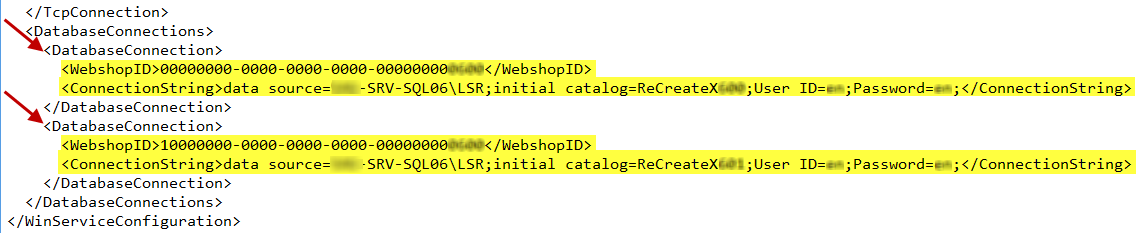
WebshopID
Code: <WebshopID>....</WebshopID>
The <WebshopID> tag defines the unique webshop ID of the customer, which is generated from the ReCreateX desktop application.
Connection String
Code: <ConnectionString>....;....;</ConnectionString>
The <ConnectionString> tag specifies the ReCreateX database connection string for the WebshopID in question.
Warning
The entered user ID should be the database owner of the database in question.

For each customer using the Infoplay desktop or mobile app, the DatabaseConnection code must be entered with the unique value of WebshopID and ConnectionString. This information enables the Infoplay application to correctly identify a customer and his/her database among several customers using the Infoplay app.