Ticket Flow
Allows to reserve tickets.
Tagname:
<enviso-ticket-flow>URL:
Staging: enviso-ticket-flow-element.js
Production: enviso-ticket-flow-element.js
Empty element: Yes
Demo
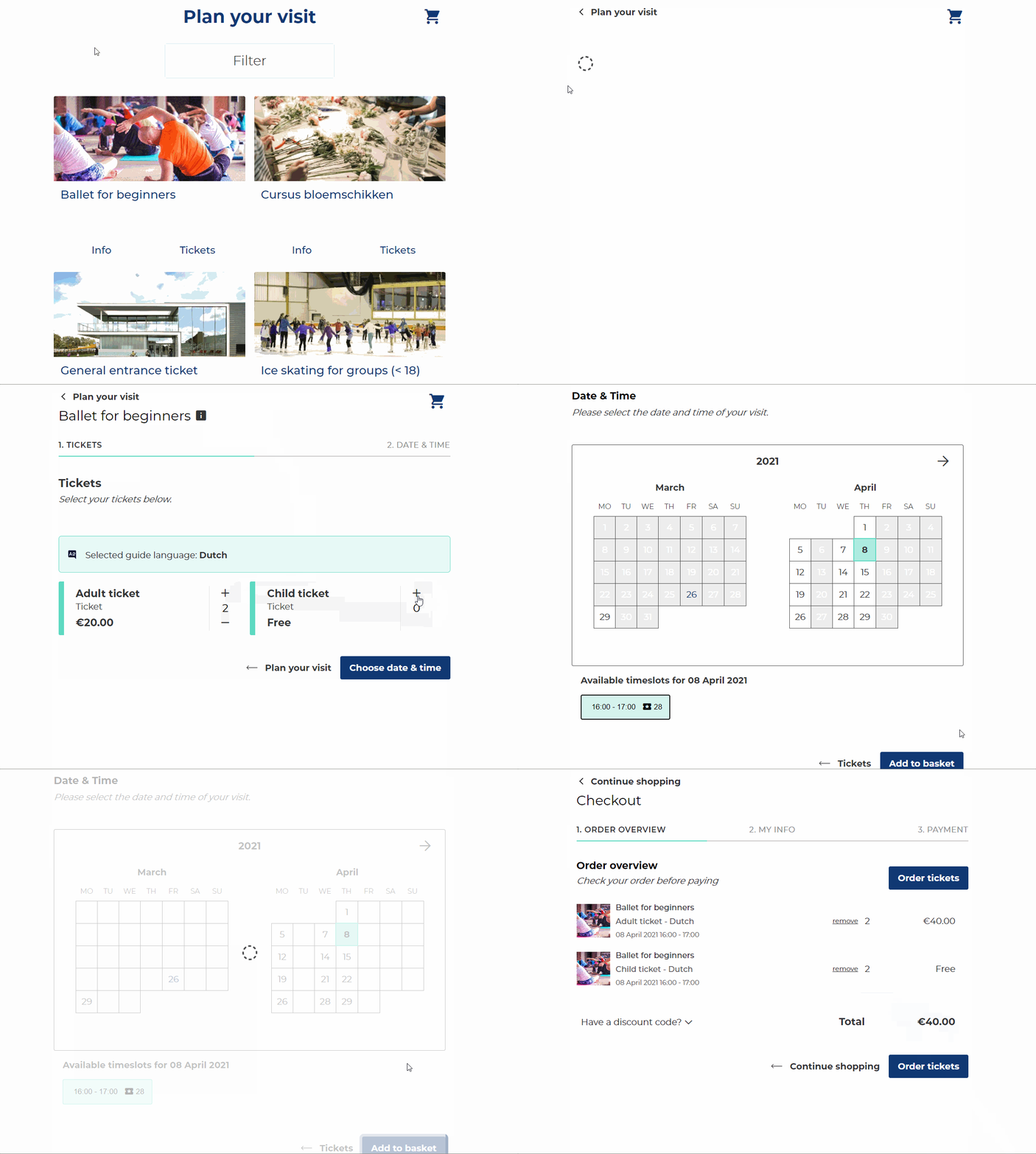
<enviso-ticket-flow>
</enviso-ticket-flow>
Properties
Attribute | Property | Type | Description |
|---|---|---|---|
auto-select-visit-time | autoSelectVisitTime | boolean | Flag to determine whether the first available date/time is automatically selected. Default: false |
hide-numbers | hideNumbers | boolean | Flag to disable numbering of the steps. Default: false |
indicate-last-tickets | indicateLastTickets | boolean | Enable to show an indication when the last tickets are available (nearly sold out) or sold out. |
last-tickets-percentage | lastTicketsPercentage | number | The maximum percentage to mark tickets as last available. Default: 25 |
indicate-sold-out-tickets | indicateSoldOutTickets | boolean | Enable to also show the sold out tickets in the calendar. |
offer-id | offerId | number | Id of the offer. |
offer-type | offerType | string | Type of the offer. It can be either Default: |
show-offer-specs | showOfferSpecs | boolean | Determines whether or not the component shows the offer details for regular offers without guides. For other offers (group offers or regular offers with guides), the specs are always shown. |
preferred-dates | preferredDates | string[] | Preferred dates to select the first day with availability. Ooverrides It must have the format "[ |
show-offer-period | showOfferPeriod | boolean | If specified, we show the offer period in the offer specs during ordering. |
Slots
Name | Location |
|---|---|
continueShopping | Bottom right |