Deactivate a user
To deactivate a user, click on the more options button corresponding to the user. From the resulting drop-down, select Deactivate user.
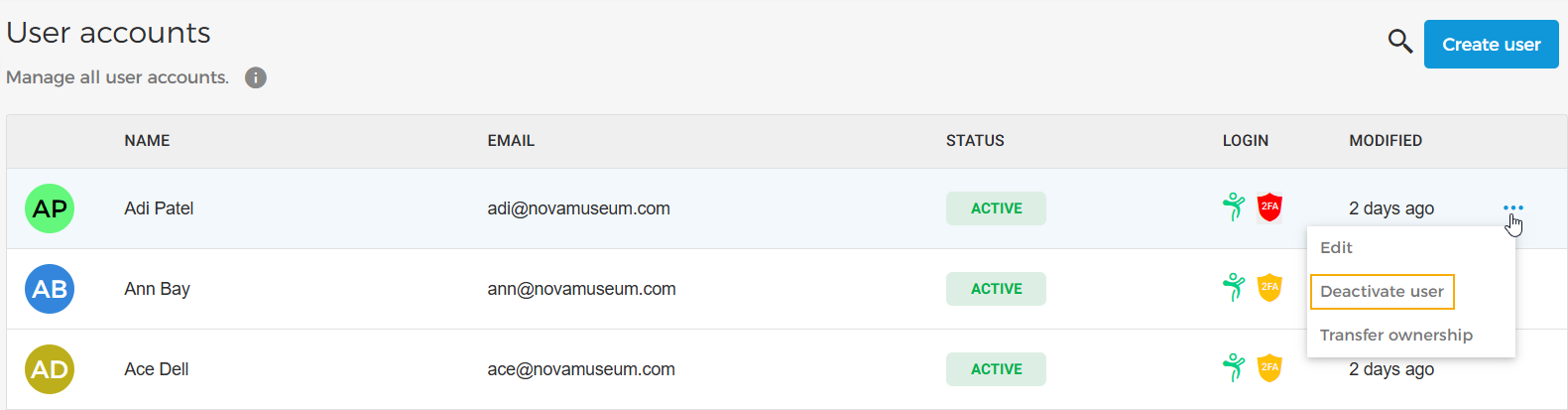
Once deactivated, the user will be flagged as Inactive. A deactivated user cannot log into Enviso.
To activate the user again, click on the more options button corresponding to the user. From the resulting drop-down, select Reactivate user.
Note
As long as there is at least one Super Admin, it is possible to deactivate a user with the role of Super Admin.