Delete a user
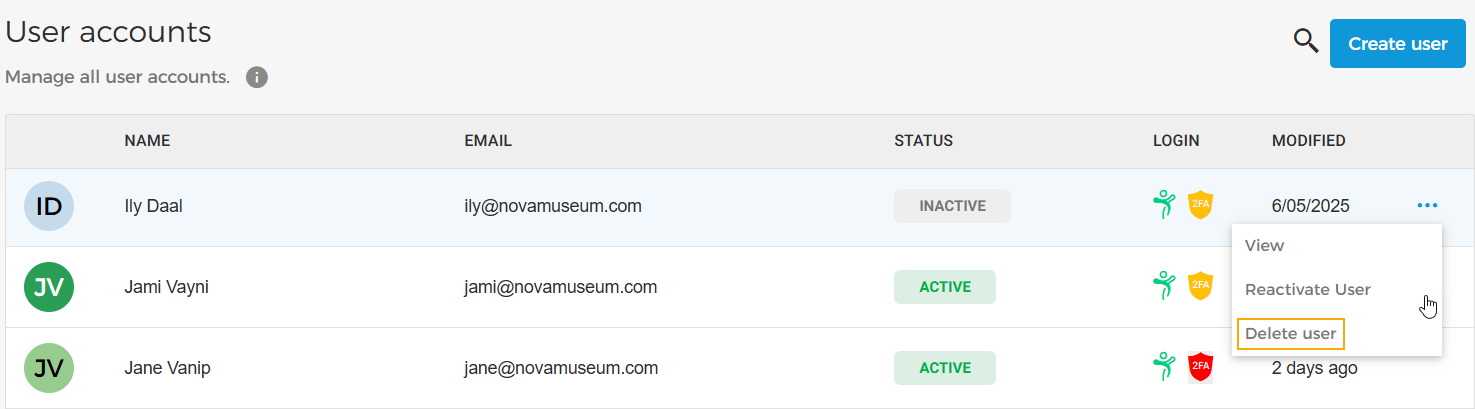
To delete a user, on the User account page, click the more options button corresponding to an inactive user. From the resulting drop-down, select Delete user.
Note
Only users in an inactive state can be deleted.
Deleting the user will remove them from the current organisation unit. If the user is already added to other units of the organisation, you will need to remove them separately. A deleted user cannot log into Enviso.
Note
As long as there is at least one Super Admin, it is possible to delete a user with the role of Super Admin.