Configure partner
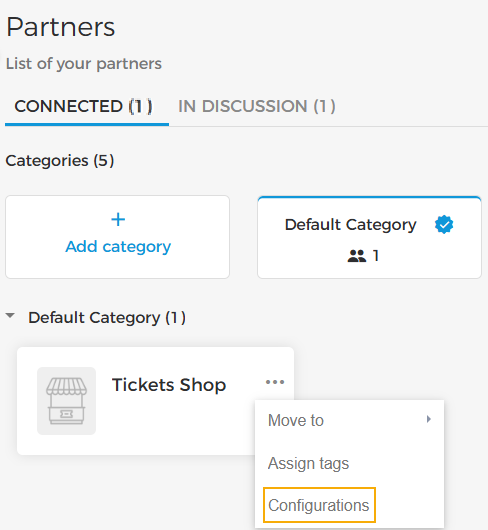
On the partner-level, you can manage certain configurations.
 |
Payment method
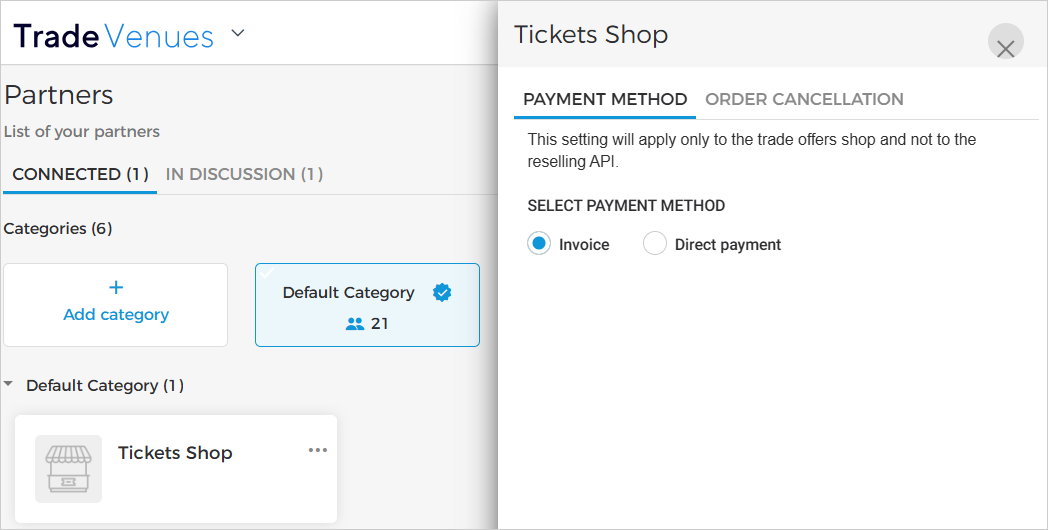
You can select the payment method as Invoice or Direct payment at the reseller level.
 |
Note
The Partner method settings apply only to orders confirmed through the Trade Offers shop and not through the Reselling API.
The main difference between the two payment methods is that with the Invoice payment method, the amount owed to the venue is paid monthly, whereas, with the direct payment method, the reseller pays the venue at the time of confirming a reserved order.
Invoice
In case Invoice is selected as the payment method, the venue will receive a pre-bill from the reseller each month containing the order sales and the amount payable to the venue.
Direct payment
The venue receives the payable amount on a per-order basis instead of settling the payable amount on a monthly basis (Invoice).
In case of the Direct payment method, a reserved order will be confirmed only after the reseller pays the venue the payable amount. The payable amount is the venue's product price minus the reseller's commission.
The payment configuration is applicable to Enviso Trade. This means the reseller can still confirm the order from the Reselling API.
If Direct payment is configured for a reseller, the venue can confirm the order that was placed from the reseller's Offers shop. This can be useful in case the reseller faces payment processing issues with their bank.
Note
It is possible to configure the Direct payment method for your reselling partners only if they have an Enviso Pay account or active KYC status. You can contact Vintia support for assistance.
Partner permissions
 |
Manage order
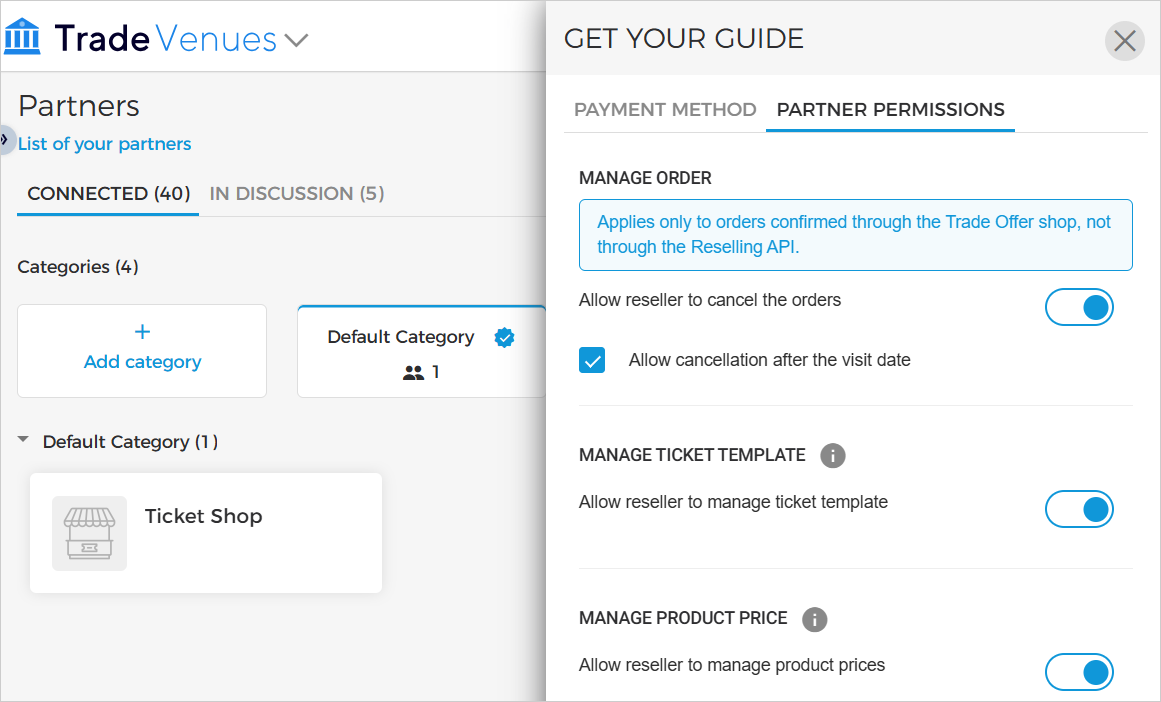
Allow reseller to cancel the orders: You can allow your partner resellers to cancel confirmed orders.
Allow cancellation after the visit date: If the setting 'Allow reseller to cancel the orders' is enabled, you will have the option to allow or restrict the reseller from cancelling confirmed orders with past visit dates.
Depending on the order cancellation settings for the reseller, the reseller will be able to cancel the orders/passes from their Trade for Resellers account. However, orders/passes can still be cancelled from the Reselling API.
Manage ticket template
The parameter Manage ticket template allows you to control whether the reselling partner can modify ticket template provided by you.
Enabled: The reseller can edit the ticket template from their Trade account.
Disabled: The reseller cannot edit the ticket template and is informed that the venue manages it.
Whenever the setting 'Manage Ticket Template' setting is enabled or disabled, resellers receive a real-time notification in their Trade account.
Manage product price
Allow reseller to manage product prices: If enabled, the partner reseller will be able to overwrite the product prices set by the venue.
However, if this setting is disabled, venue product prices will override reseller product prices and the reseller will not be able to edit prices any more.
Note
The Partner permissions settings apply only to orders confirmed through the Trade Offers shop and not through the Reselling API.