May 28, 2025
Sales
Default product group
The system creates a default product group after new venue registration and for already registered venues.
 |
It is mandatory to link a product to a product group.
The default product group is linked with all the products, whether newly created or already existing. It is, however, possible to later on change the product group.
Note
The feature to use product groups is available only to specific venues. You can request Vintia support to enable this feature for your venue.
Cross-sell products
Note
The feature to use cross-selling is available only to specific venues. You can request Vintia support to enable this feature for your venue.
The page Cross-sell rules allows you to create rules related to selling other related products and offers to the visitors during the checkout process. It is possible to create and delete the cross-sell rules as well from the Cross-sell rules page.

To be able to manage cross-sell rules, the user should have full permission to 'Manage cross sell rules' defined in the Enviso Admin app.
Set price rules based on capacity
Note
The feature to set capacity-based price rules is available only to specific venues. You can request Vintia support to enable this feature for your venue.
Now you can create price rules based on the remaining product capacity.
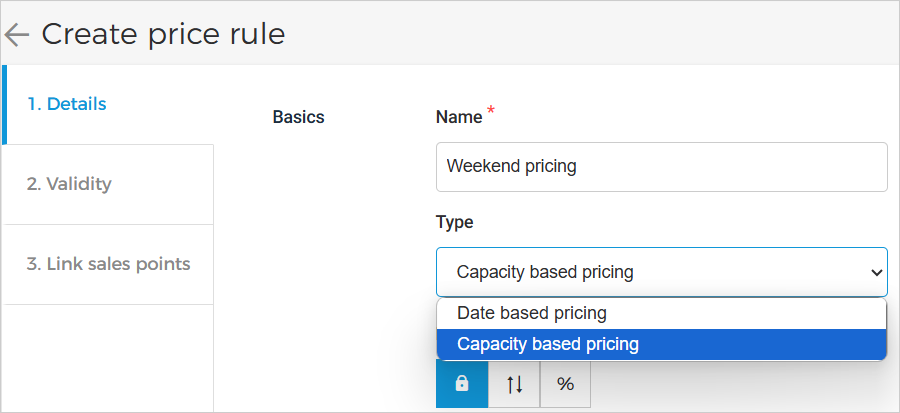 |
For example, for the offer Museum entry, the capacity is 100 Adult tickets per day. Now, when the last 20 tickets are remaining (i.e., 20% of the remaining capacity), you can configure a price rule that will increase the ticket price by 5%. Moreover, for the last 10 tickets (i.e., 10% of the remaining capacity), the price can be marked up by 10%.
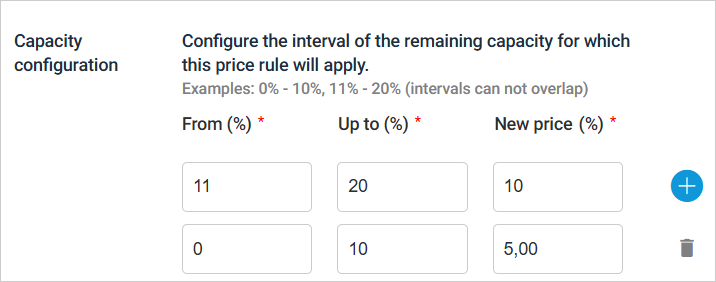 |
For a detailed description, refer price rule based on capacity.
Voucher offers
Enhancements:
Now you can link voucher offers to total offers in addition to per day and per slot offers.
You can configure a voucher offer with multiple offers and products. For a detailed description, refer Products & capacity.
You can view the created voucher codes as well as the used voucher codes from the offer details tab Codes.

Enhancement
You can now consult the External ID, which is up to 300 characters long, in the order details. This applies to orders placed through indirect sales channels.
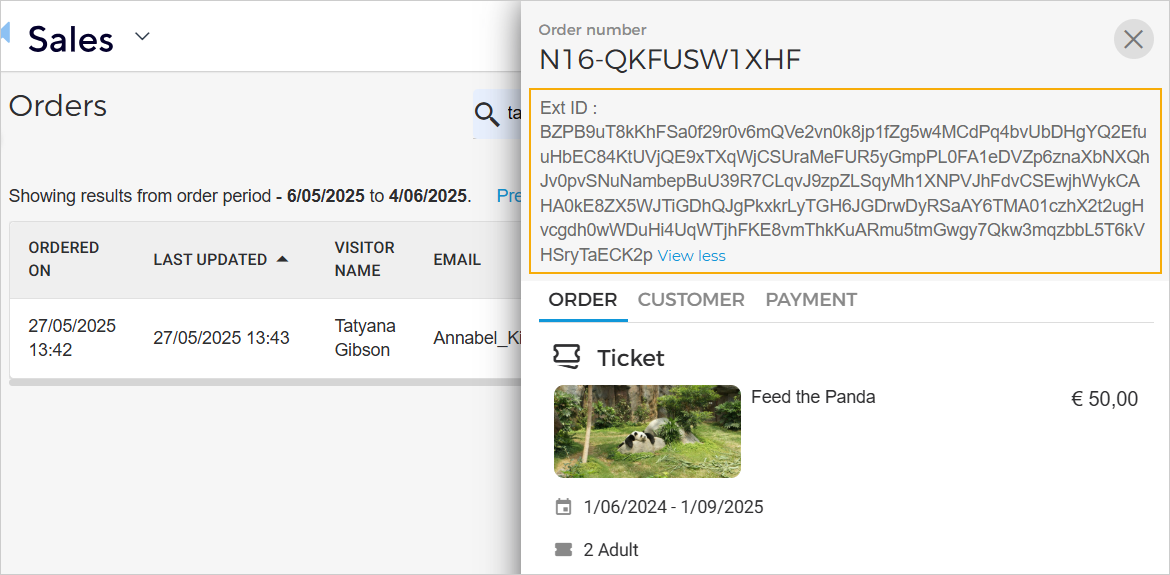
A new filter parameter has been added that allows you to filter offers by visit time slot.

For group offers with tickets per group, it is possible to set the minimum-maximum visitor limits per product (instead of per group).
Admin
Enhmacement
Audit logs: Venue users can consult the audit logs for the 'Create product group' event.
Trade for Resellers
Enhancements (Membership offer)
Resellers can now fully or partially cancel membership offers, using the same process as partial order cancellation.
Resellers can now send a sell request to venues for their membership offers.

Direct selling API
Supported language parameter in Get order detail as a visitor endpoint.
Ticketing widget
Enhancements
'Pay Later' is not supported for voucher redemption. An alternate payment method is required.
If the minimum/maximum visitor limits are not met for a product while adding quantity, an error message is shown to the visitor.
A voucher can be redeemed across multiple offers.
For group offers with tickets per group, visitors can:
Enter the number of visitors instead of groups in the basket while updating and rebooking an order.
Update the visitor quantity from the overview screen.