What's new in Enviso
Oct 14, 2026
Sales
Membership forms
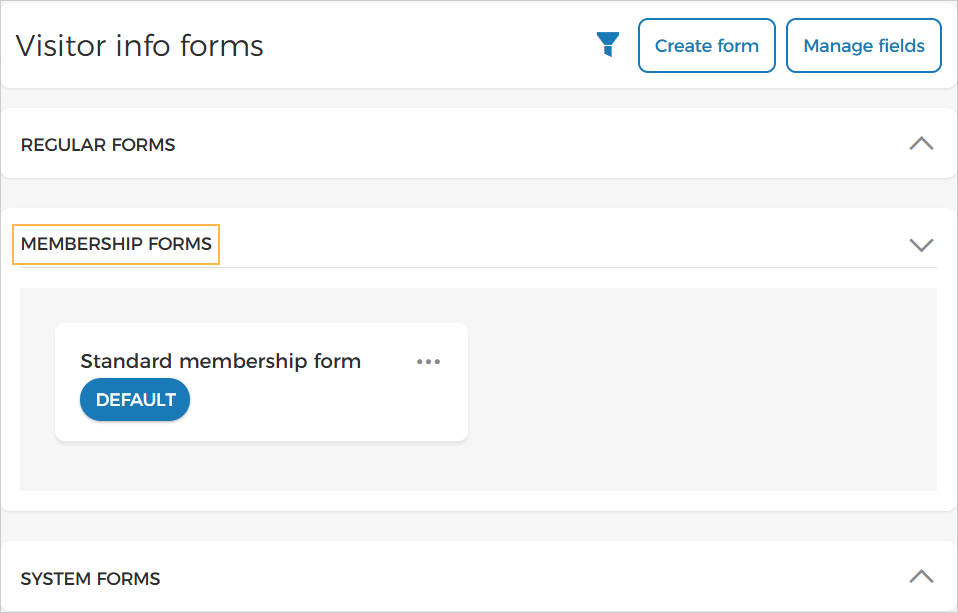
You can now create and manage forms for members and pass holders under the Membership forms section on the Visitor info forms page. A system-generated default form, Standard membership form, is also available in this section.
 |
You can configure the fields displayed in the checkout and membership holder sections, with new fields such as Middle name and Profile image.
Note
The possibility to use membership forms is available only to specific venues. You can request Vintia support to enable this feature for your venue.
Enhancement
It is now possible to cancel scanned fixed period membership passes by providing refund for remaining days of the membership validity period.
Admin
Link offers to a sales point
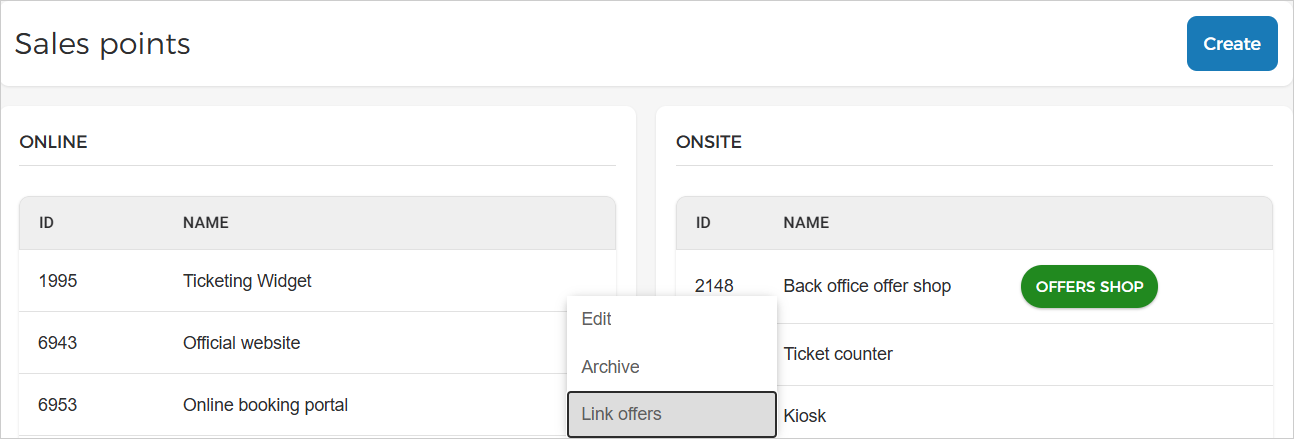
On the Sales points page, it is now possible for the venue users to link offers to online and onsite sales points.
 |
Important to know:
The option to link offers to a sales point is available for users with full control permissions for both 'Manage sales point' and 'Manage offer'.
While offer linking is in progress, certain sales point and offer configuration actions will be temporarily unavailable. This includes:
The sales point cannot be archived or linked to additional offers.
Offer’s capacity or advanced capacity cannot be updated.
Sales points cannot be linked from at the offer level (tab Channels) for direct or indirect channels.
Note
The possibility to link offers to a sales point is available only to specific venues. You can request Vintia support to enable this feature for your venue.
Enhancements
Roles and permissions:
Manage webhook permission is available only for venue and locker site tenants.
Manage infrastructure permission is available only for venue tenants.
By default, these permissions are assigned to the Enviso Cloud Admin and Super Admin roles.
Templates: Venue users can now configure the 'Booking fee' field in email and product templates and send it to visitor.
Opt-in support: Tenants with auto-renewal enabled will no longer receive support expiry reminder emails.
Ticketing widget
Enhancements
Visitors can now view their account email address as a read-only field in their profile.
Logged-in visitors can no longer edit their email address during checkout.
Visitors are now required to log in when selecting cross-sell items that require an account.
Voucher redemption now provides a consistent login or guest checkout flow based on whether the offer requires an account.
Visitors can now view the applied booking fee in their basket.
Direct selling API
Added
VisitorDateforTicketBarcodesin Orders API response for the endpoint Get order detail.