Nov 26, 2025
Sales
Add comments at the offer level
You can now add comments on an offer (for all offer types) from the Comments tab on the offer details page. You can edit or delete your comments, and view comments added by other users.
Note
The possibility to manage comments for an offer is available only to specific venues. You can request Vintia support to enable this feature for your venue.

Order-related enhancements
You can now view offer-based discounts applied at the individual pass level. This helps in the partial cancellation or calculating refunds.
Ticket PDFs now display the actual offer-level discount applied to passes, including details such as discount code and discount amount.
The order update flow now supports adding or updating basket-level discounts, but not product-level discounts. Users can also view promotions or discounts applied at the product level.
Group-offer enhancements
Group offers (pass-per-group and price-per-person) can now be activated on both direct and indirect channel sales points.
For confirmed orders with group offers, the system will now generate passes based on the number of groups.
You can perform order actions such as cancelling passes and rebooking orders (for direct channel orders) for these group offers.
The per-visitor details form will no longer be displayed in the basket flow on the Offers Shop for group offers.
Improvements
Extended basket expiry configuration: Basket expiry time can now be set up to 60 minutes (previously limited to 30 minutes).
UI enhancements for product-level promotion configurations.
Booking
Enhancements
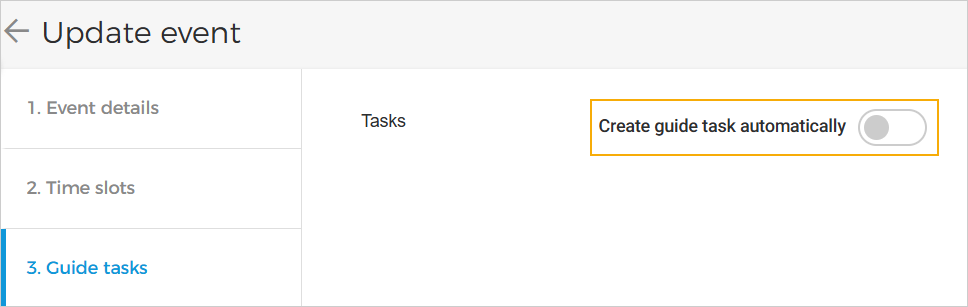
You can now disable the automatic creation of guide tasks in events, preventing task generation for offers based on bookings or time slots. Previously, this option was enabled by default and could not be disabled.
When an event is activated, tasks will now be created automatically if the task trigger is set to 'When time slots are created', based on the added time slots and the task configuration.
When new time slots are added to an active event, additional tasks will be created if the trigger is set to 'When times lots are created'.
All tasks generated for time slots can now be viewed on the Planning page with an 'Open' status, where task details are also available.
Admin
Enhancement
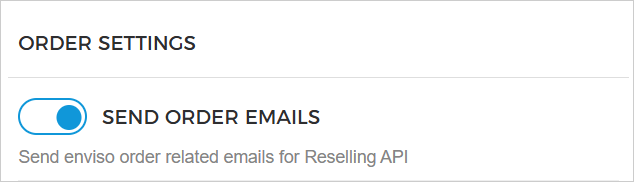
Resellers can now choose to send order-related emails for orders placed through the Reselling API and can also retrieve passes for those orders. For this the setting 'Send Order Emails' should be enabled from Admin > Settings > Email > Order settings.
Trade for Reseller
Enhancements
Added the field
Pass validityin the ticket template for the indirect channel.Resellers can now sell tickets for group offers with 'pass per group' and 'price per person' through the Reseller Offers Shop and the Reselling API. They can also manage these orders, including cancelling orders or individual passes.
Direct selling API
Added the discount field to the Passes (List passes, Get passes) and Sales (List sales, Get sale detail) endpoints to reflect the discount applied per pass.
Ticketing widget
Support Intersolve payment method
Visitors can now select Intersolve as a payment method during checkout.
Visitors can check the balance of their Intersolve gift card during the payment process. Payments may be completed fully or partially using the gift card, with any remaining balance payable using another payment method.
Intersolve gift cards are now supported in the Pay by link flow.
Refunds for cancelled orders can now be issued back to the visitor’s Intersolve gift card.
Enhancement
For partial order cancellations, the system now refunds the full transaction and generates a new purchase with the updated amount.