On-premises
Follow the instructions below for real-time order updates if the ODS/KDS app is installed on-premises.
Obtain the folder Qservice-1.0.0 from Vintia support and follow the
Read me.txtfile.Go Qservice-1.0.0 > Installers. The folder 'Installers' contains the required installations. Check if you have all the installers installed, otherwise, you can install them from the Installers folder.
The required installations are as follows:
RabbitMQ (along with its compliant software 'Erlarge')
Note
After installing RabbitMQ, please verify that the RabbitMQ service is running correctly.
You may also refer, how to install and configure RabbitMQ.
Next, go to QService > Configuration > appsettings.json
Ensure that the (1) password is defined for the root user while installing MySQL. Also, ensure that (2) the Rabbit MQ configuration is correct.

Thereafter, go to the folder QService > QService (type Application).
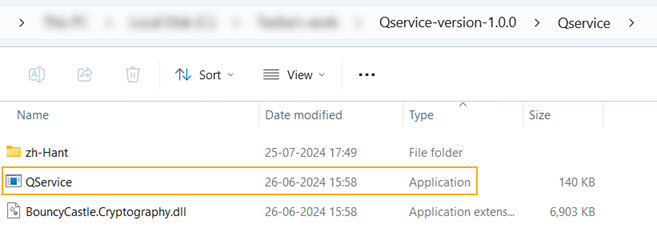
Running Qservice (type application) will initiate the application. Check if everything is running well.
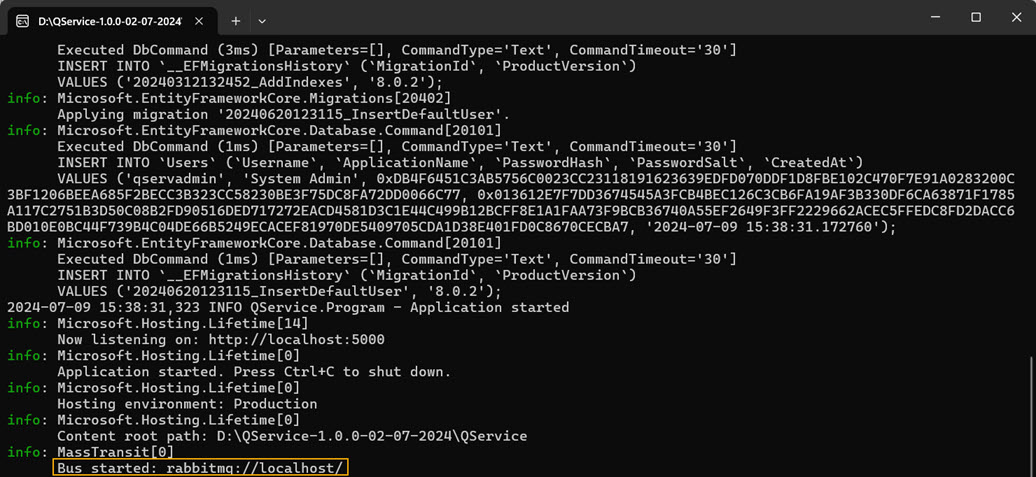
The credentials of the default Qservice user are qservadmin | Qserv1ce@123.
Note
You can check the Qservice health using the URL http://localhost:5000/health. This URL will be defined at the time of configuring the 'OdsKds notifier' plugin.
Next, in the app configuration file, add the RabbitMqSettings details (refer to step 3 above).
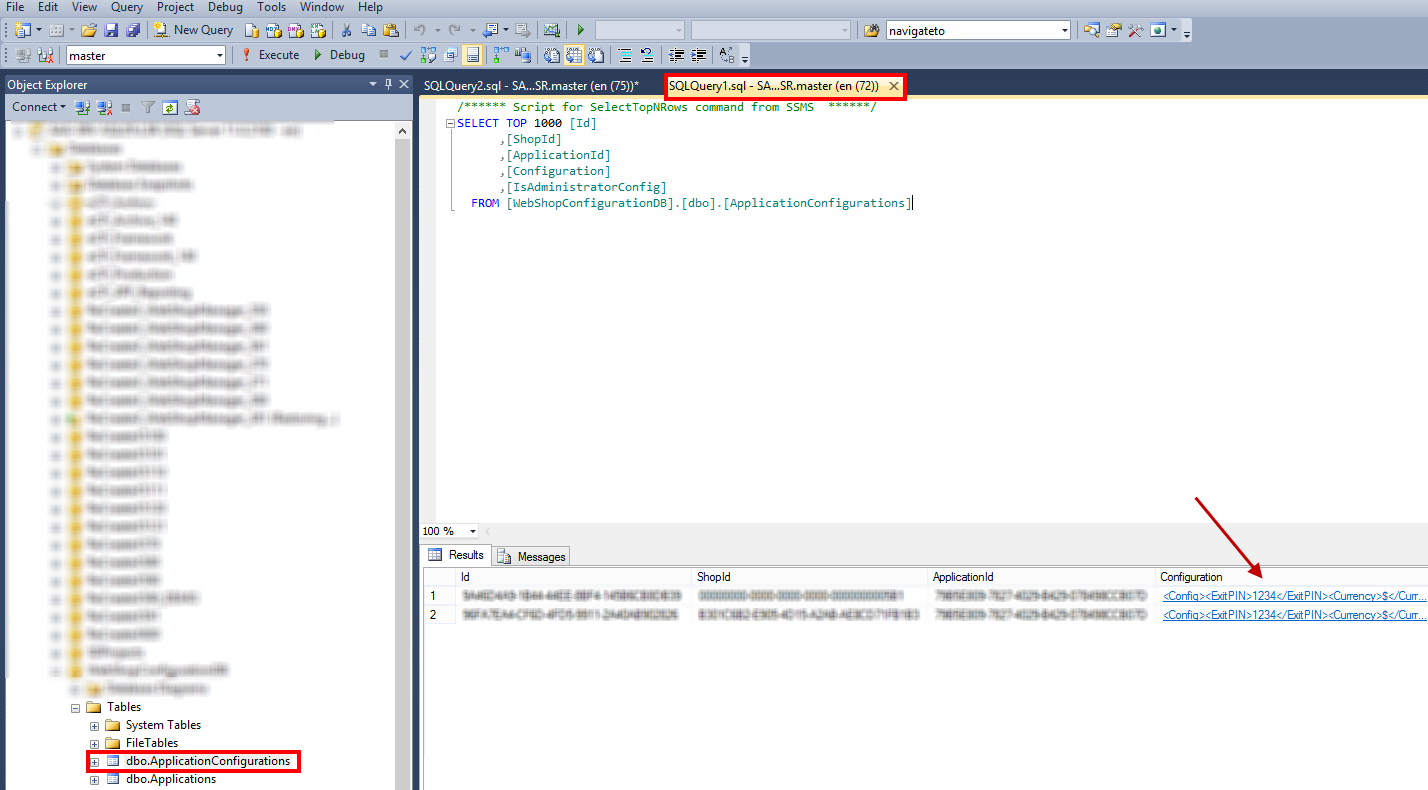
Thereafter, host the configuration file on your server. The configuration file is stored in the database as shown below:
Warning
The config file must be present on the server before starting the KDS/ODS application.