System requirements

Receipt printers

Supported devices
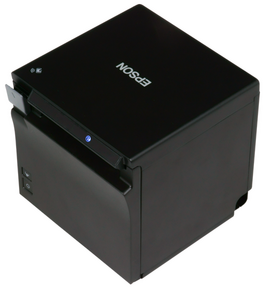
EPSON TM-T88VII

Device

Technology

Interface

Use in Recreatex

Additional info

POSprinter_EPSON_TM-T88VI.png
  • Direct Thermal Transfer (no ink, toner or ribbon)

  • Partial cut

  • Paper: 80mm roll ( 80x80x12mm, 80x80x25mm)

  • Serial (COM)

  • Network (LAN)

  • RJ12 (for the cash drawer)

  • As a receipt printer (via serial connection)

  • As a kitchen/bar tickets printer (via LAN connection)

  • Power supply and power cord delivered with the printer

Options

StarTech USB-to-Serial adapter

If your POS computer system has no built-in serial port, you can add serial port(s) by means of a USB-to-Serial adapter. Depending on the required number of serial ports, e.g. in combination with a payment terminal or other serial devices, you can choose from the following 2 options:

  1. adapter with 1 (single) COM port

  2. adapter with 2 (dual) COM ports

Note

This setup does not convert the printer into a USB printer, so no Epson USB printer drivers are required. The printer remains serial.

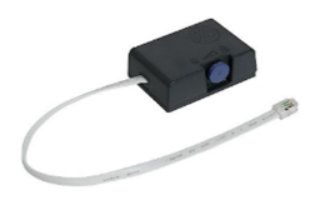
Buzzer for kitchen and/or bar printer

Buzzer__kitchen_bar_printer.png
  • Sound after every print has been finished

  • A volume knob, to adjust the sound level in noisy environments

  • Connects to the RJ12 cash drawer connection on the Epson printer

  • Cannot be combined with a cash drawer (neither with a dual cash drawer splitter/adapter)

EPSON TM-m30II

Device

Technology

Interface

Use in Recreatex

Additional info

POSprinter_EPSON_TM-m30II_122A0.png
  • Direct Thermal Transfer (no ink, toner or ribbon)

  • mPOS

  • Partial cut

  • Paper: 80mm roll (80x80x25mm)

  • Paper saving function

  • Ethernet

  • Network (LAN)

  • USB 2.0 (type A & B)

  • Receipt printer (for the Indoor self-service kiosk)