Oct 29, 2025
Sales
Disabled product behaviour
In a group offer with tickets per group, users cannot add new product, even if the linked product is inactive. This is because only one product can be linked to this offer type.
Enable/Disable voucher product for sales
You can now choose to enable or disable a selected voucher product for sales when creating/editing a voucher offer.
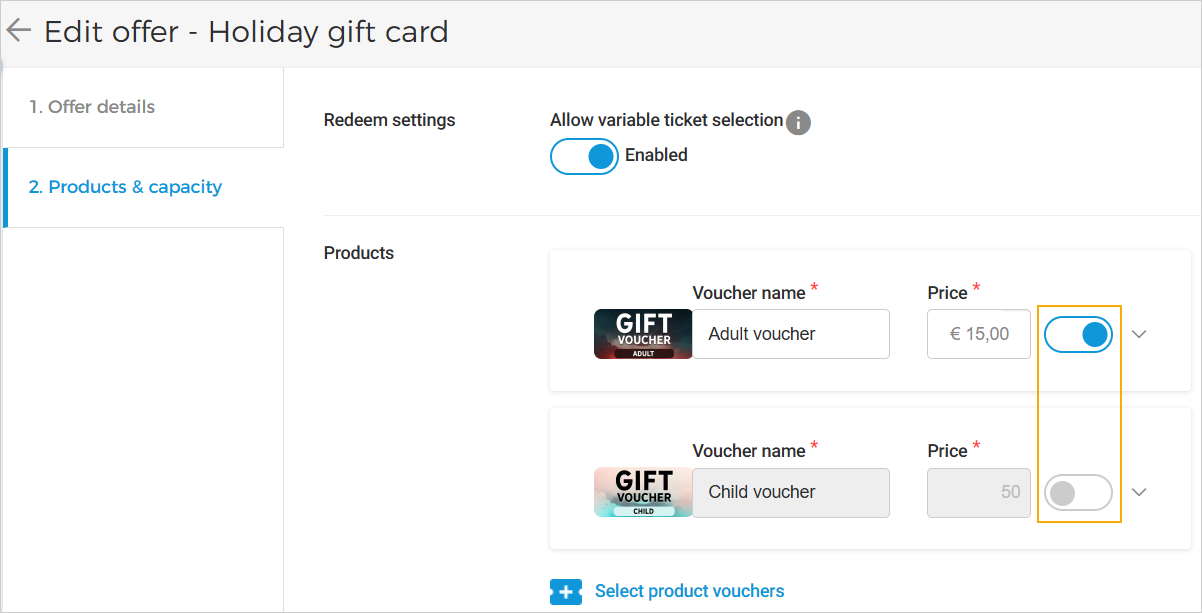 |
The disabled product will be marked as 'Disabled' on the offer details page and will not be available for sale.
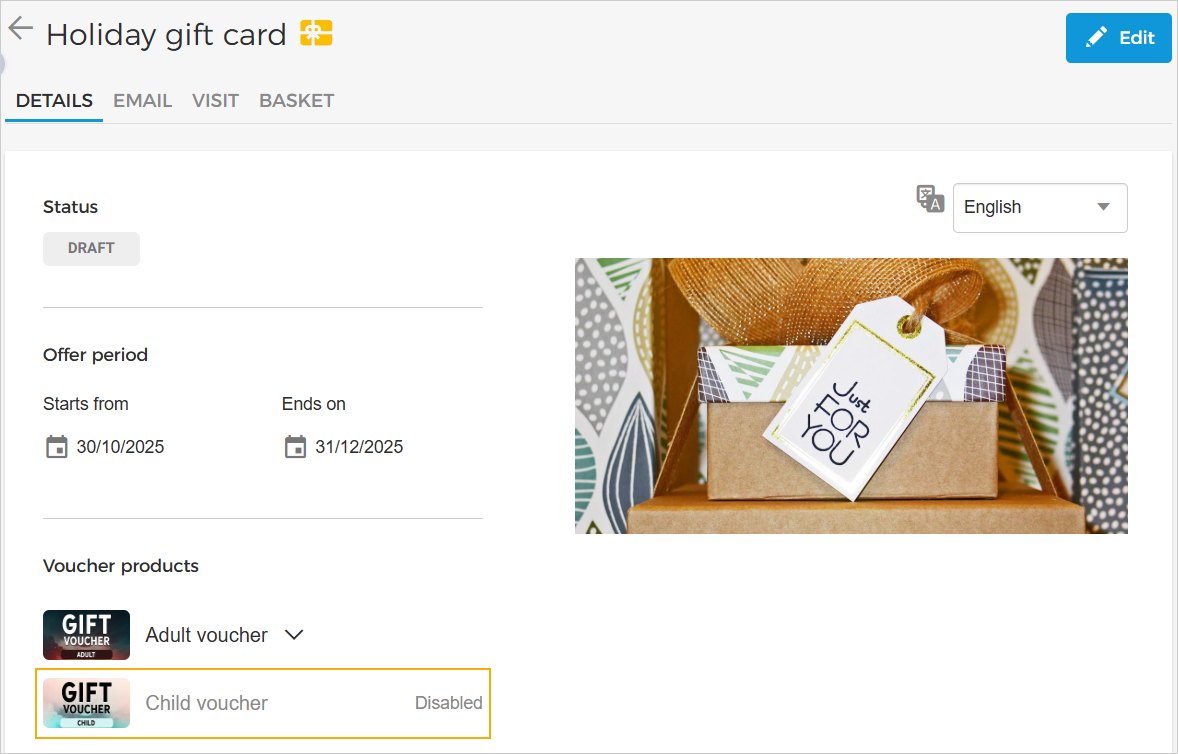 |
External code enhancements
You can now upload
.csvfiles while editing the external code file. The newly added codes will automatically update in tickets, and the revised code counts will appear on the External Codes Overview page.When an external code file is uploaded and linked to any sales point, the codes are now automatically marked as used once an order is placed, even if the 'External code' field is not included in the product template.
Guide offers improvements
For tasks set as 'When time slots are created' in an event (Booking app), guide settings are not visible in the offer.
Visitors can now view multiple languages while placing an order for a regular group offer.
Booking
Configure Guide tasks
While updating an event, you can now configure automatic guide task creation.
Create guide task automatically:
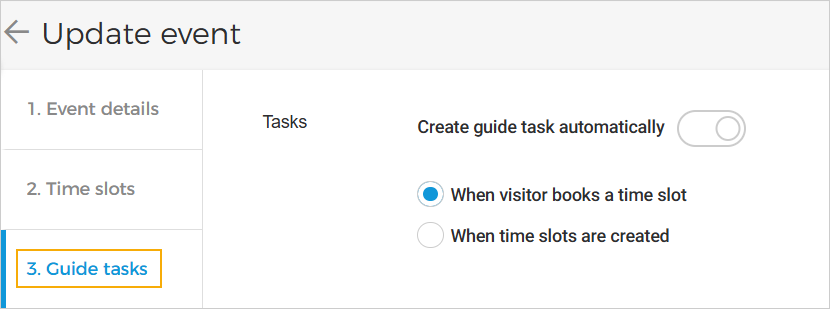 |
When visitor books a time slot: A guide task is created only when the visitor confirms an order for a time slot offer.
When time slots are created: Guide tasks are created automatically when time slots are added from the 'Time slots' tab.
For offers created for such events, it is possible to configure multiple guide languages for group or regular offers, as well as add skills.
These offers will be treated as guided offers.
Enhancement
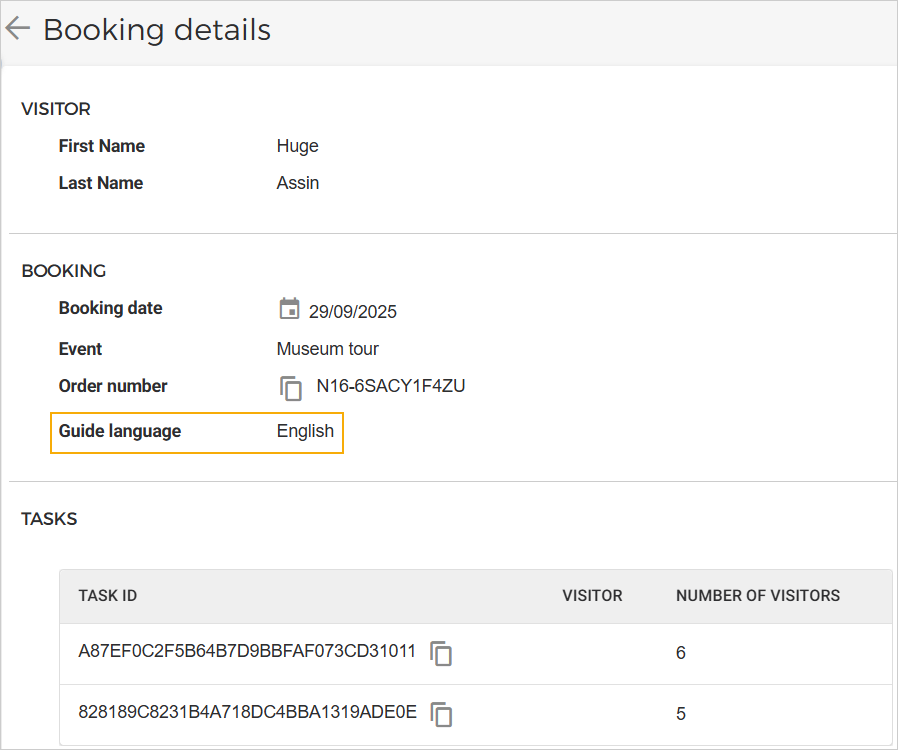 |
In booking details, you can consult the guide language selected by the visitor at the time of ordering.
Data Warehouse API
Added
bookingIdandbookingLineIdto the list of tasks endpoint.