Apr 1, 2026
Sales
Enhancements
Offers
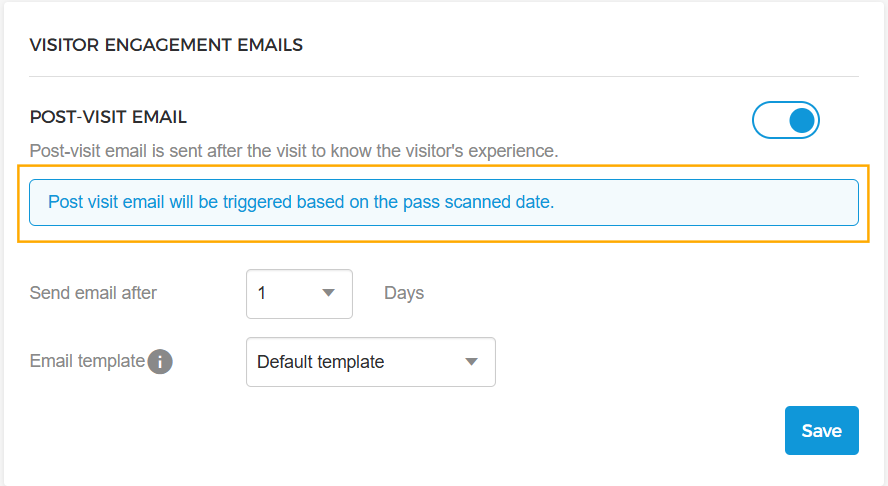
Post-visit email configuration: It is now possible to configure post-visit emails at the offer level to be sent either based on the pass scan date or after a specified number of days from the visit date.
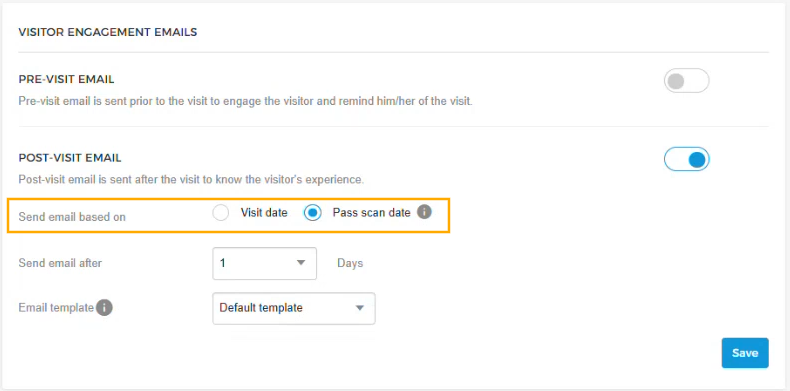
For total offers, post-visit emails are always sent upon ticket scanning.
Product
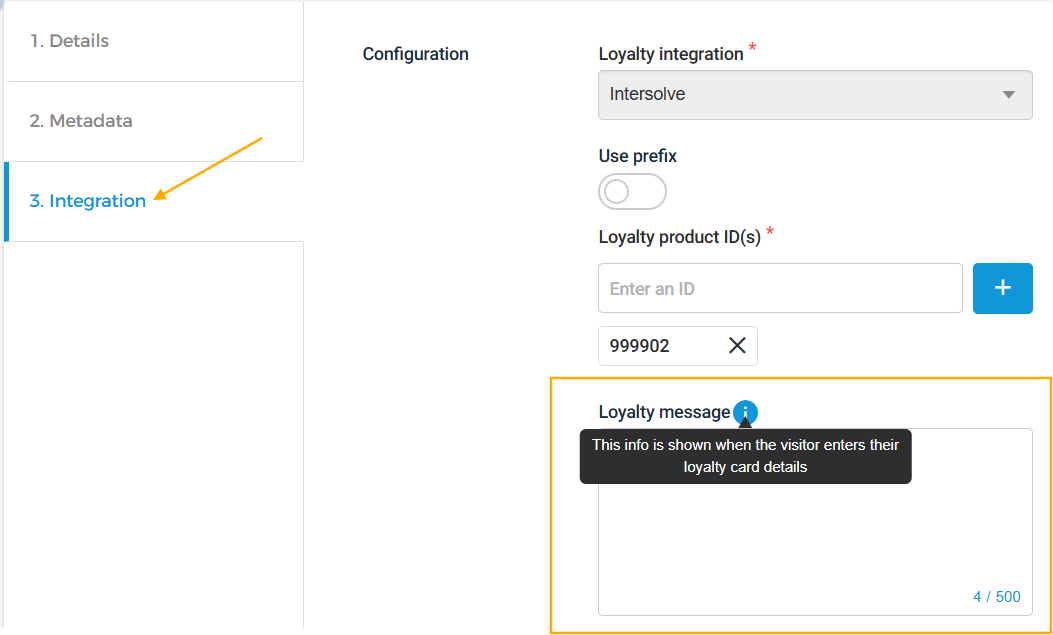
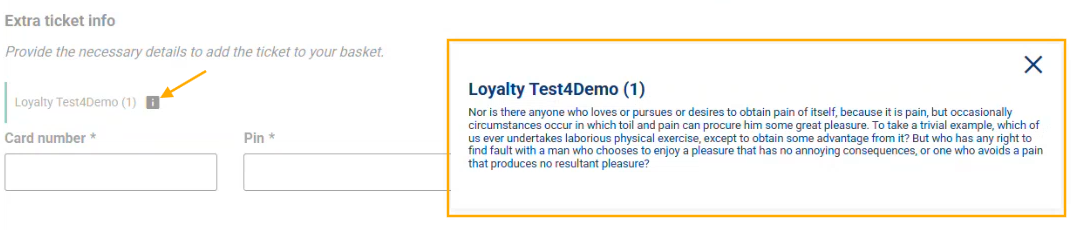
Loyalty message for loyalty products: A loyalty message can now be added to loyalty products to display relevant loyalty card number information in the Ticketing Widget.
Orders
Large order export: When exporting a large number of orders, the system automatically generates multiple files based on data size (e.g., 30K orders split across multiple CSV files) and sends a notification upon completion.
Passes
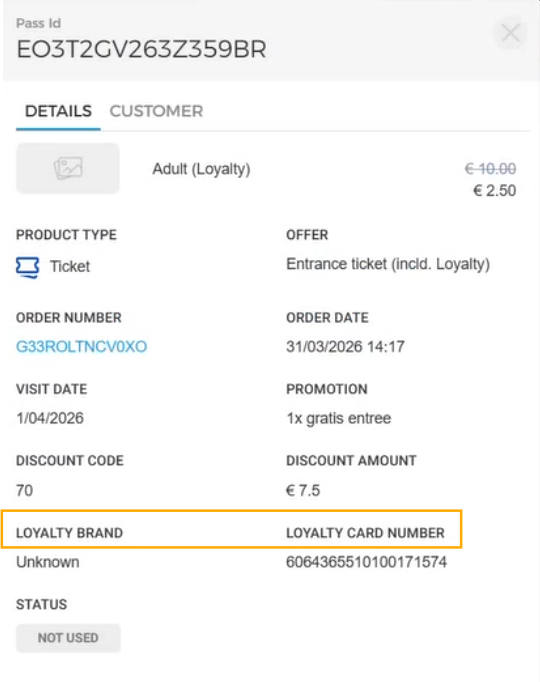
Loyalty card visibility: The loyalty brand name and card number used for loyalty products are now visible in the pass details and included in the exported pass CSV.
Cross-sell rules
Required cross-sell offers: A cross-sell offer can now be marked as required, making it mandatory to purchase alongside the main offer. The required status is reflected in both the overview and the details panel.
Offers Shop
Voucher redemption with visitor details: Voucher codes can now be redeemed in the Offers Shop for ticket offers where the per-visitor form is enabled in the linked form, allowing the order to be completed with full visitor details.
Admin
Enhancements
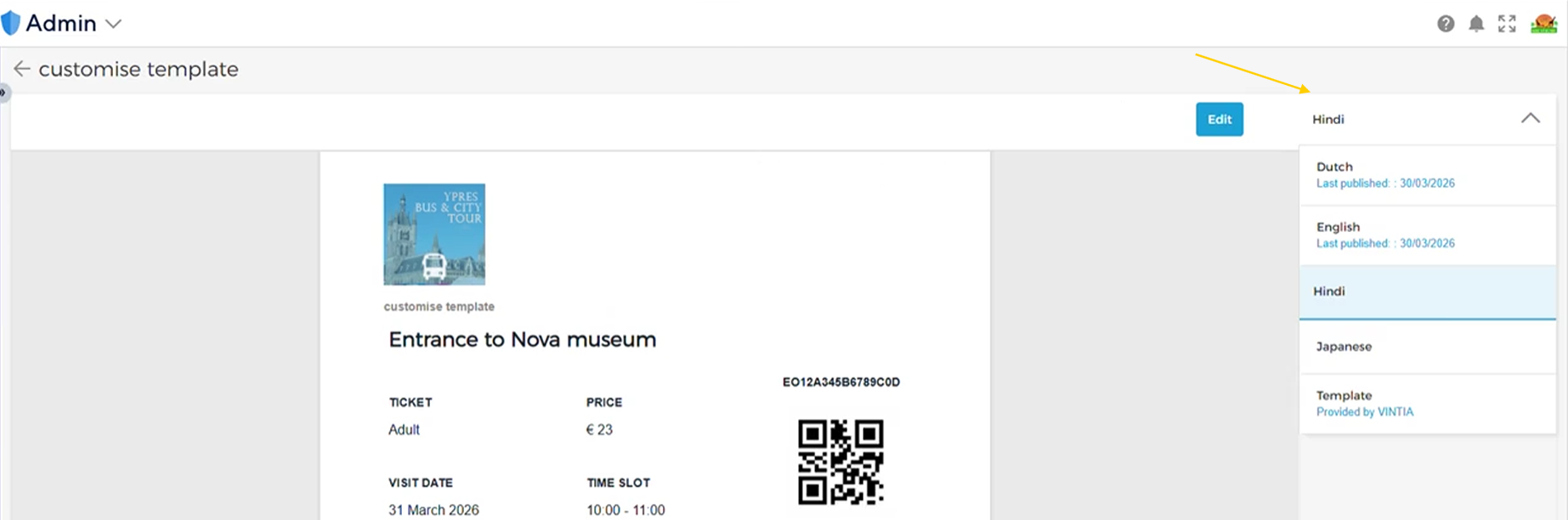
Reseller ticket template translations: Translations can now be configured and saved for indirect channel product templates, enabling resellers to send tickets in their preferred language using venue-configured translations.
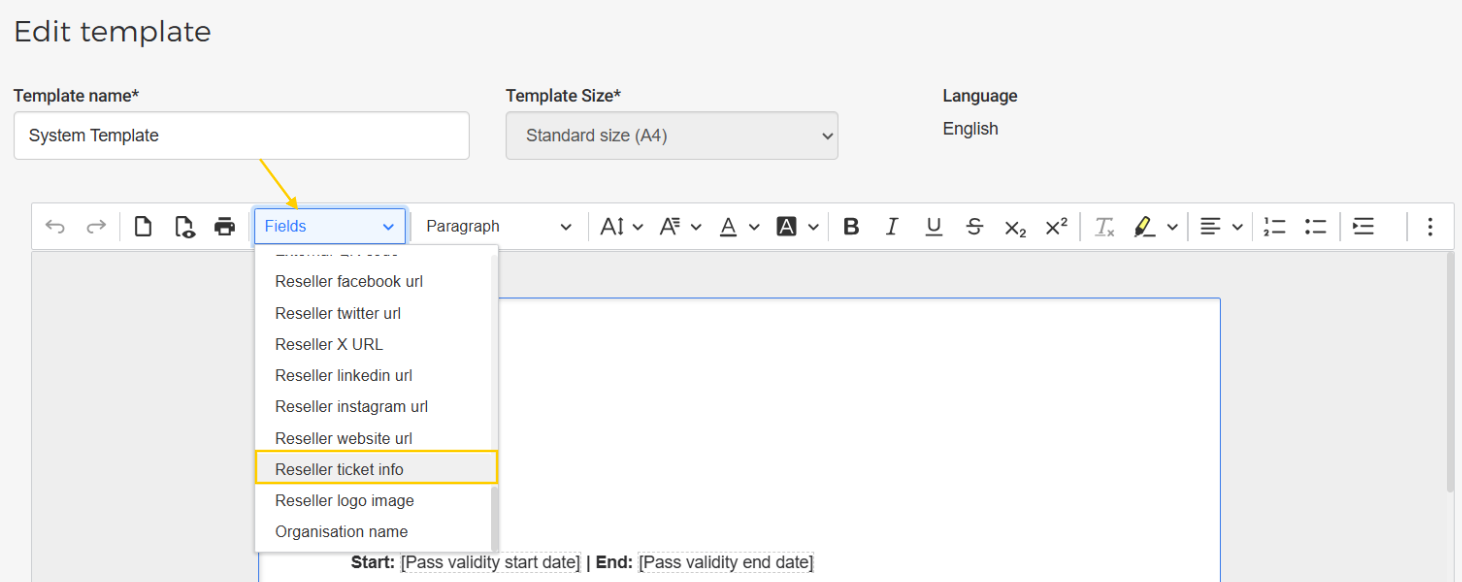
Ticket info field: 'Ticket info' field can now be added to reseller ticket templates, providing resellers with the ability to include extra information - such as cancellation policies, special conditions, or visitor instructions - directly on the ticket.
Trade for Resellers
Enhancements
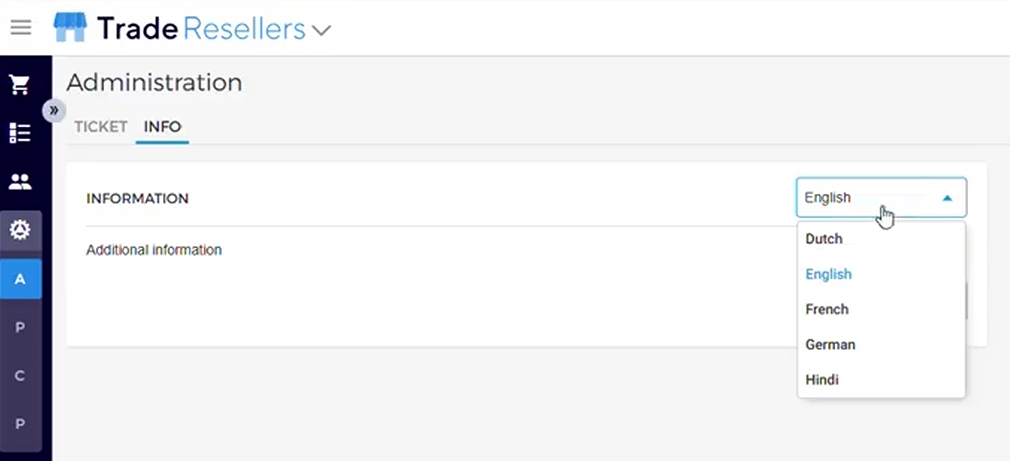
Ticket template customisation: Additional details such as policies or instructions can be added to tickets along with translations. Venues see this information in English by default.
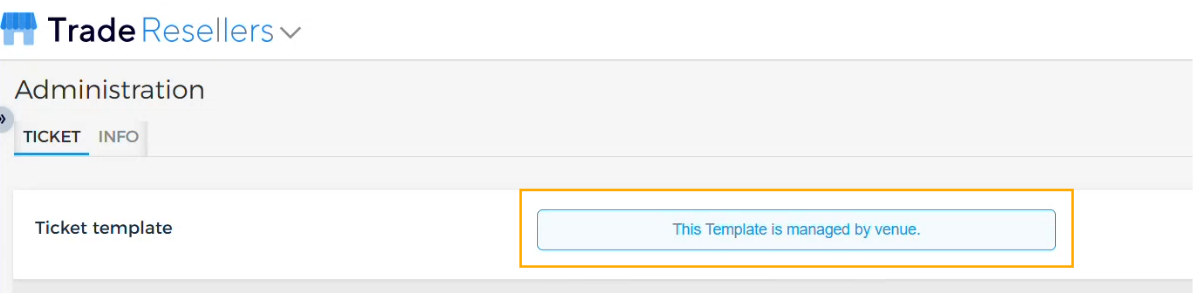
Template access restriction: Product template settings can be disabled for a specific partner, preventing resellers from consulting or updating the template.
When disabled, resellers will see the message: "This template is managed by the venue."
Note
The default product template configured by the venue will be applied for the ticket PDF.
Ticketing Widget
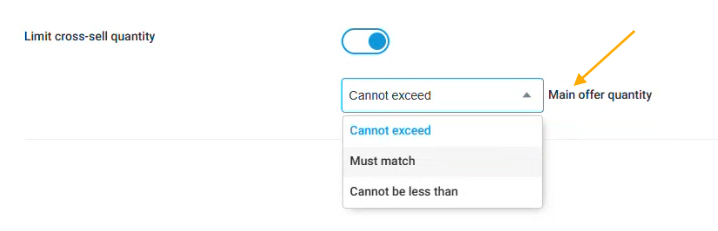
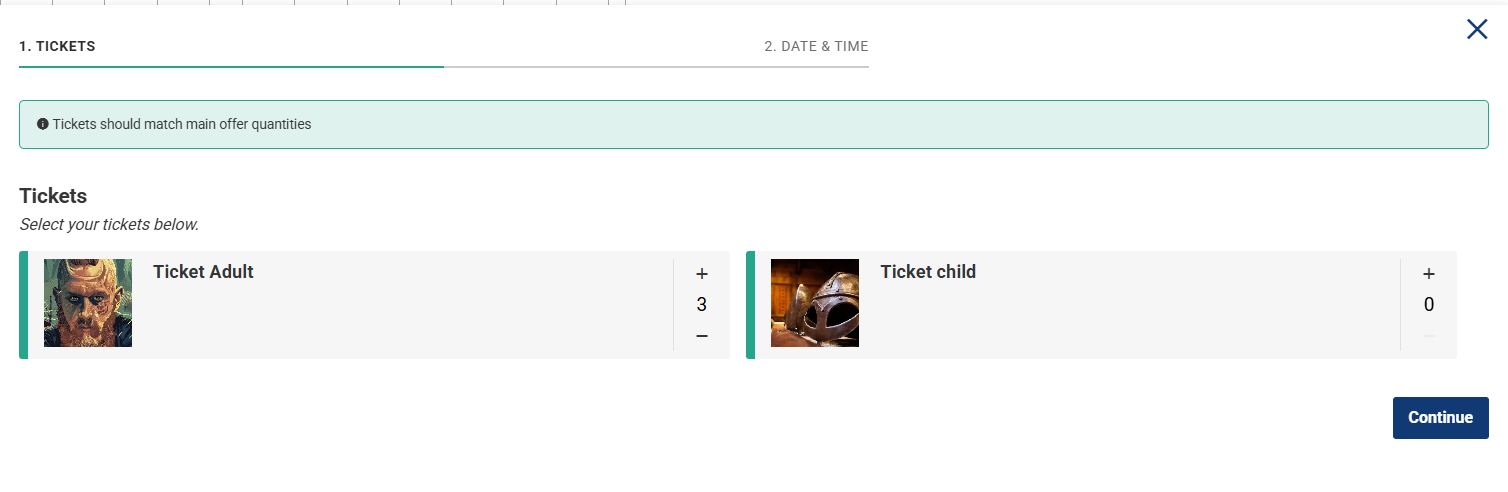
Cross-sell quantity based on main offer: Multiple cross-sell tickets can now be purchased based on the main offer quantities, as defined by the venue operator's cross-sell rules.
Loyalty message display: The loyalty message for each product is displayed in the Extra Info ticket step, where visitors can enter their loyalty card details to place the order.
Direct Selling API
Per-visitor form details can now be provided during the voucher redemption flow when the per-visitor form is enabled in the form linked to the ticket offer.
Integrators can show the required cross-sell offer to purchase with the main offer.